Verification state: verified on Linux (Ubuntu 24.04) with GnuCOBOL 3.1.2 and GDB 15.1 on the payroll sample and fixture programs; stopping at breakpoints, values, stepping, the step debug of a payroll job and the COBOL Files view were checked in the running app. Conditional breakpoints, set value and the memory view have not been exercised in the running app. Not verified on Windows (it needs a POSIX shell) or macOS (it needs a signed GDB). Results are GnuCOBOL's; IBM z/OS Debugger is on Debug on z/OS.
Debug a program
Press F5 on an open COBOL program. It is compiled for debugging (cobc -g) with the project's copybooks, dialect and format, and run with the launch configuration's DD files.
- Breakpoints on statements in the program and its copybooks; conditional breakpoints written in COBOL (
IN-EMP-ID = 'E00002' AND WS-COUNT > 0, level-88 names); hit counts. - Step over, into and out by COBOL statement; pause.
- Call stack as
PROGRAM/PARAGRAPHframes, with the PERFORM chain and callers. - Variables: Working-Storage, Local-Storage, Linkage and File Section records with their values (zoned, packed, binary, COMP-5, COMP-1 and COMP-2, edited, alphanumeric), level-88 conditions, and tables by occurrence.
- Hover and watch with qualification, subscripts and reference modification.
- Set value, checked against the PICTURE.
- DISPLAY output in the Debug Console; the return code; the memory view.
NATIONAL, COMP-6, COMP-X and FLOAT-DECIMAL items are shown as bytes.
The COBOL Files view
While debugging, the COBOL Files view lists each FD and SD with the file it maps to, its organisation, access and open mode, the last FILE STATUS with its meaning, the records read or written (for fixed-length sequential files), and the record area decoded. Open in Record Viewer opens the file; Read the COBOL Files Again refreshes the view.
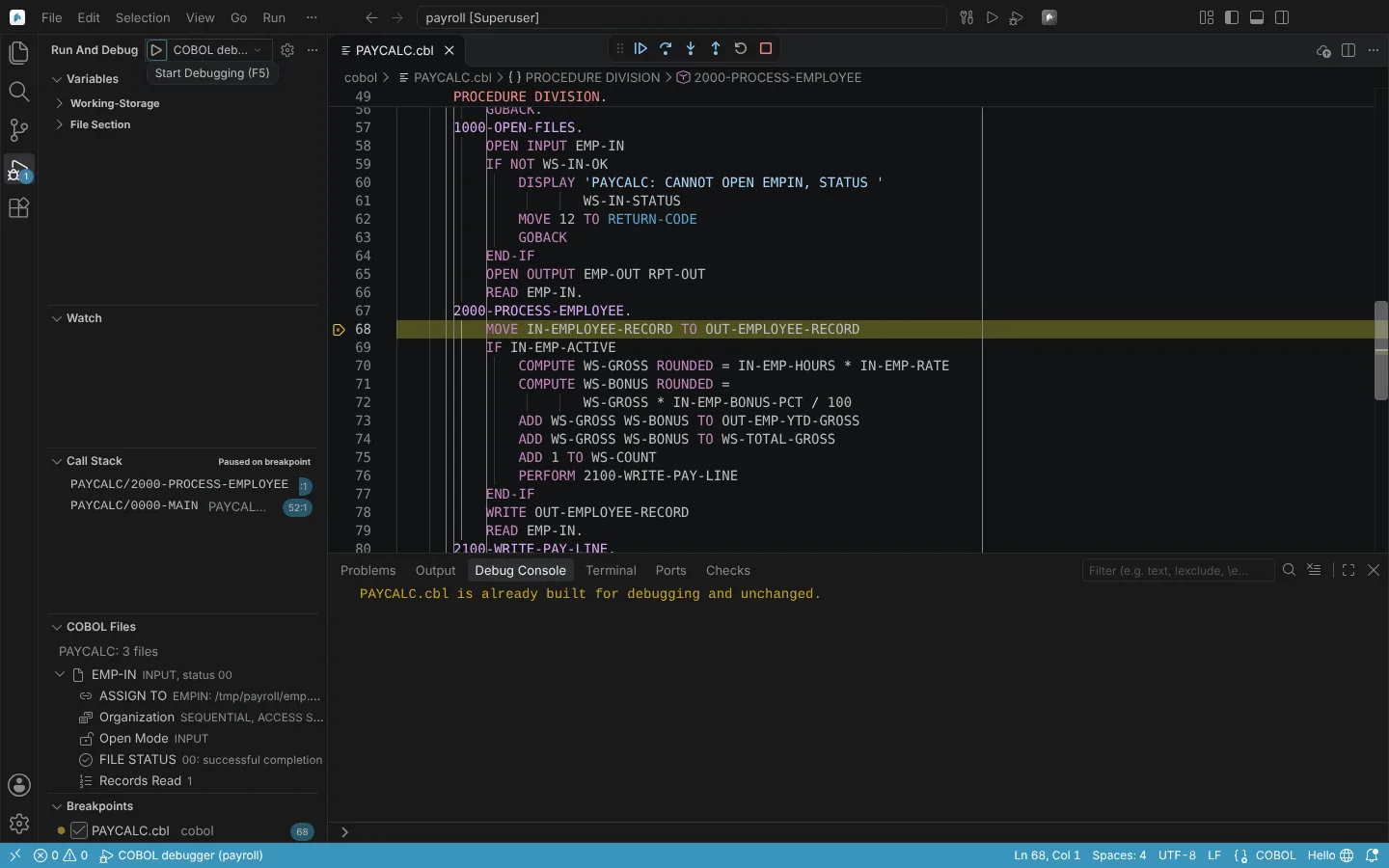 Stopped at a breakpoint in a sample program, with the call stack and the COBOL Files view showing a file's open mode and status.
Debug the step a job runs
As z/OS Debugger debugs a batch step, with the step's own data:
- Run Debug JCL Step with GnuCOBOL... (Ctrl+Alt+D, Ctrl+Option+D on macOS), click the Debug Step code lens on an EXEC of a project program, or choose Debug This Step in the job editor.
- Pick the step. The steps before it run first, as usual.
- The chosen step runs under the debugger with exactly the DD files, PARM, SYSIN and environment the runner gives it. Debug JCL Step shows PARM-LEN and PARM-TEXT.
- Its DISPLAY output and RC become the step's SYSOUT and RC.
- When the session ends with steps left, choose Run Remaining Steps or End the Job.
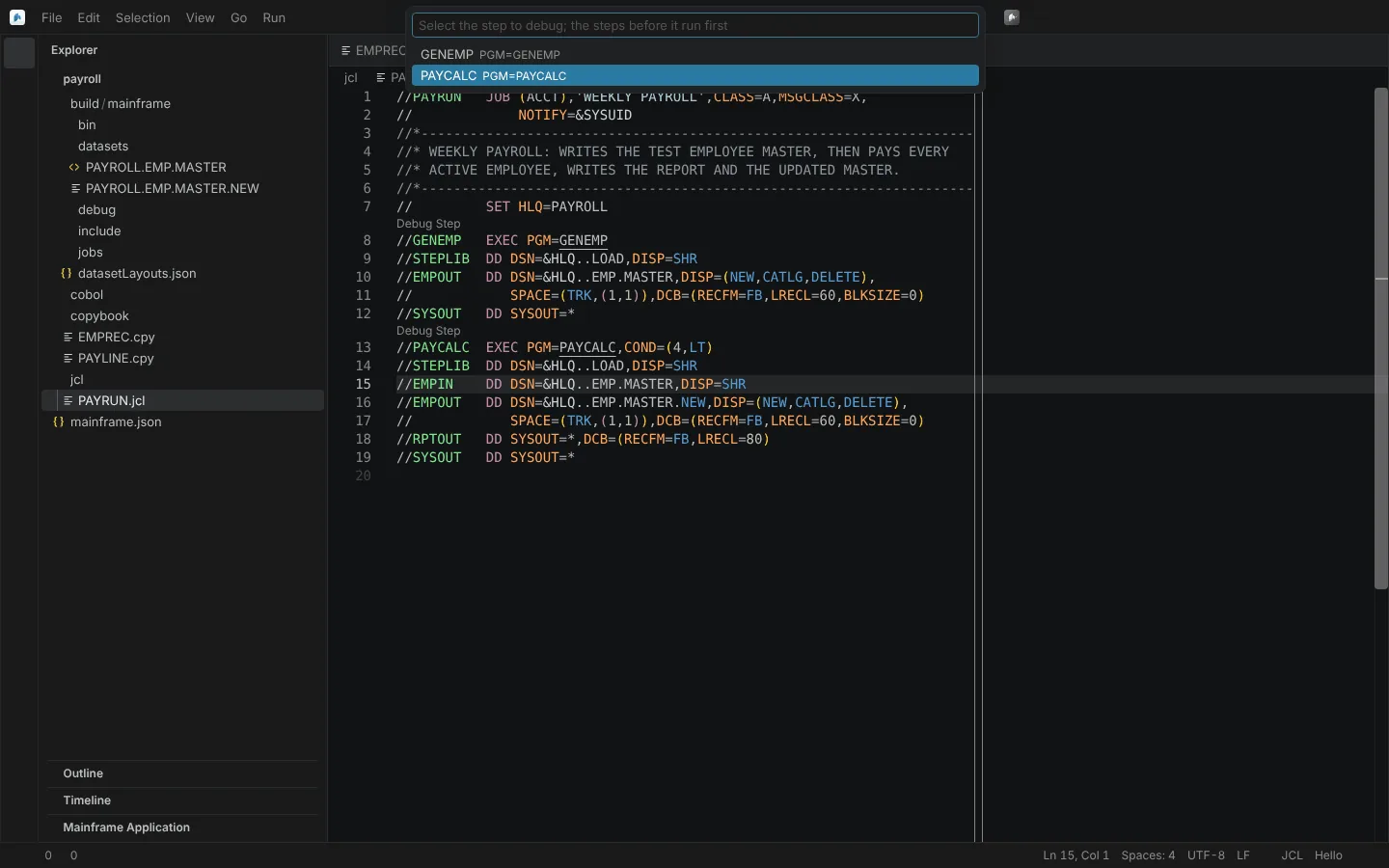 Debug JCL Step with GnuCOBOL asking which step of a sample job to debug; the steps before it run first.
Programs the step CALLs are debugged too: they are built as debug modules (cobc -m -g) and loaded through COB_LIBRARY_PATH, with breakpoints set before load, step into a CALL, step out, and the stack across programs. A debug build is reused while unchanged. A step whose program CALLs subprograms has not been exercised in the running app.
Launch configurations from gnucobol-debug
Launch configurations written for the gnucobol-debug extension keep working:
- A
"type": "gdb"configuration withcobcargs, a COBOLtargetorgroupruns with this debugger, unchanged. target,arguments,cwd,env,group,gdbpath,cobcpathandcobcargs(-free,-fixed,-fformat=,-std=,-I) are translated.coverage,gdbtty,verboseand unknown attributes run with a warning naming each.docker, attach,pidandremoteDebuggerstop with an error.- A Native Debug configuration is left alone, and nothing registers for
gdbwhile an installed extension provides it.
The configuration shape is taken from gnucobol-debug's documentation; none of its code is used. Verified by launching a gnucobol-debug launch.json on a copy of the payroll sample, and in the running app.