Actions that ask first
An engineer confirms every flash, erase and programming step, every memory write the module makes for you, and every change to a vendor project before it happens. Agents never write on their own: each agent tool that changes a target, a project or a setting asks you first. These actions show a confirmation, and do nothing until you accept it:
| Action | What the confirmation names |
|---|---|
Flash (title bar, Flash Firmware, Flash to Target, Flash Image File..., F5 with "flash": true) | Target, probe, image, its size and SHA-256. The image is hashed again before programming; a changed image is refused |
| Flash Firmware with TRACE32 and TRACE32 debug sessions | As for flash |
| Erase Target Flash | The erase of all of the target's flash |
| Erase Flash Sectors... | The sectors, their addresses, the device and the probe |
| Write Option Bytes | Each change and its consequence (such as read-out protection) |
| Program External Flash and Program Through STM32 Bootloader | The external memory or port, the image with its SHA-256 and range; a changed or out-of-range image is refused |
| Run J-Flash Production... | Device, project and data file with their SHA-256, serial range, every change, and what cannot be undone |
| IAR C-SPY tests on the target | Target, probe and driver, image and SHA-256, flash loader |
| Configure IAR C-RUN Runtime Checking... | The .ewt file and each option change |
| Memory window writes and Fill Range... | The range and bytes, the image, and the section, linker region or SVD registers touched; flash is refused |
| Start Benchmark Counters | The debug-register writes needed (DEMCR.TRCENA, the DWT_CTRL enable bits) |
| Paint Stack | The range below the stack pointer, the pattern and the image |
| Import SEGGER Ozone Project and Import Breakpoints and Debugger Settings from Keil or IAR | What will be imported into the workspace and what will not |
| Install Device Family Pack... | The pack's own licence, for your agreement |
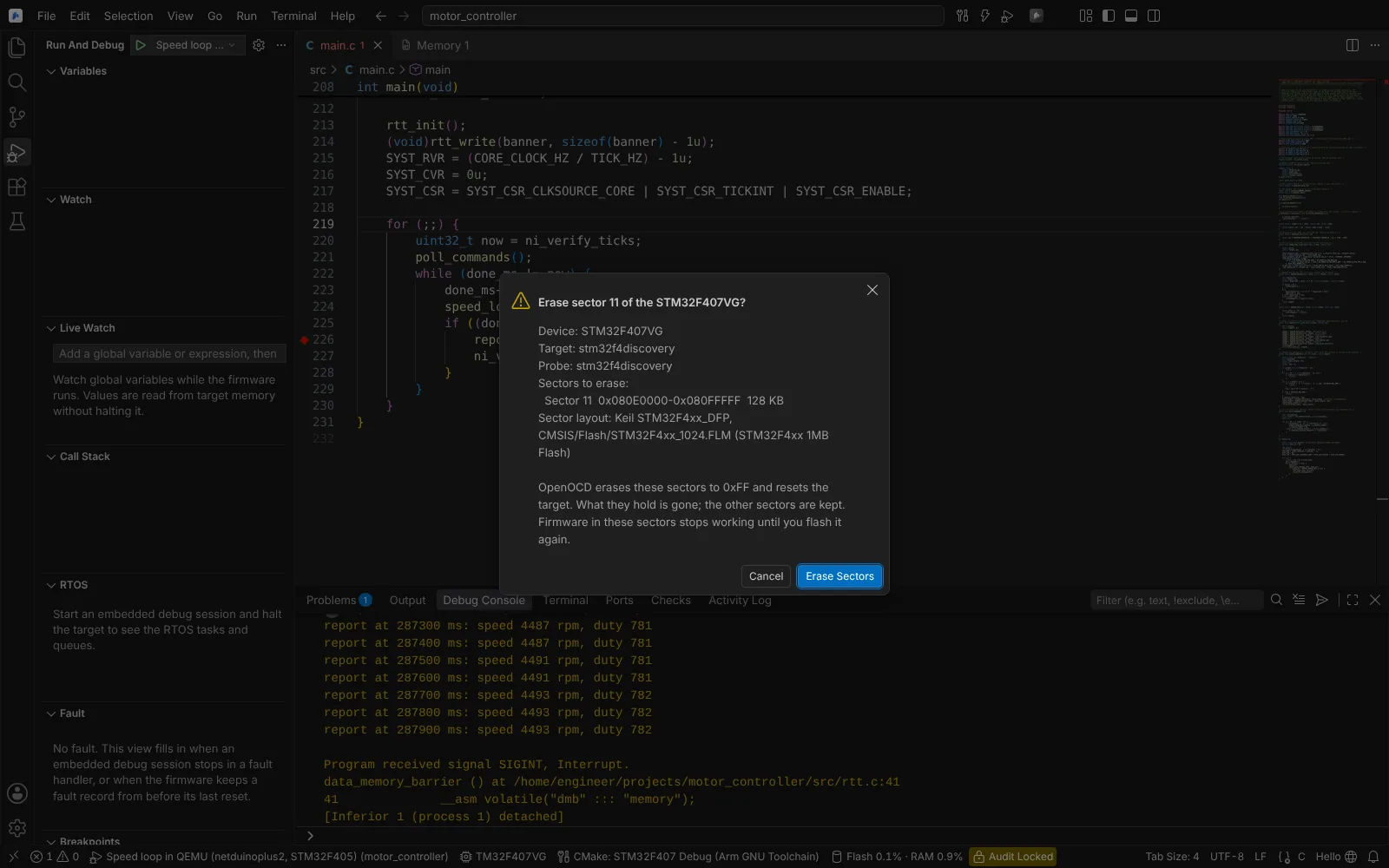 The confirmation before erasing one flash sector, naming the device, the probe, the sector range and the sector layout used.
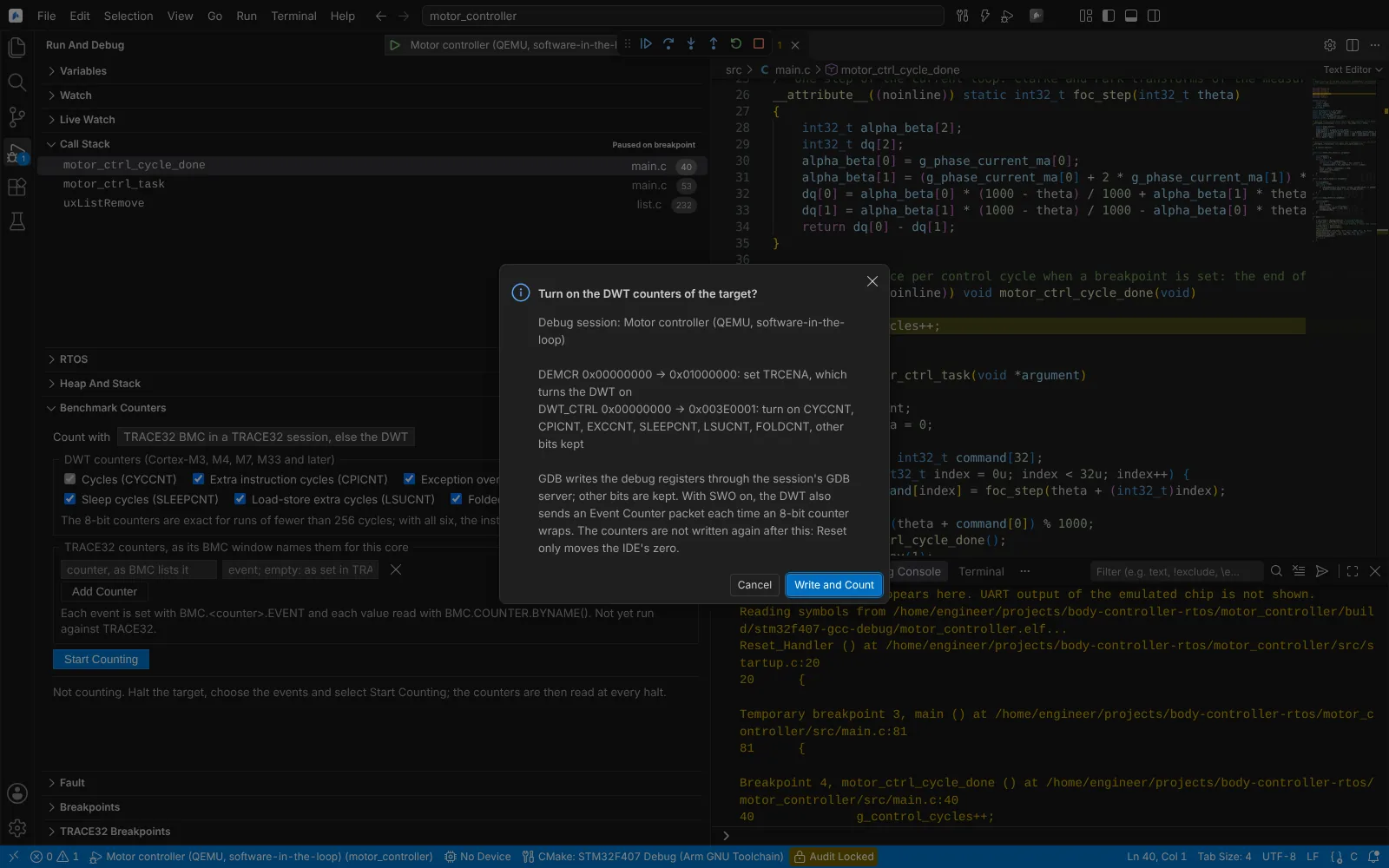 Start Counting lists the debug-register writes it needs and writes nothing until confirmed.
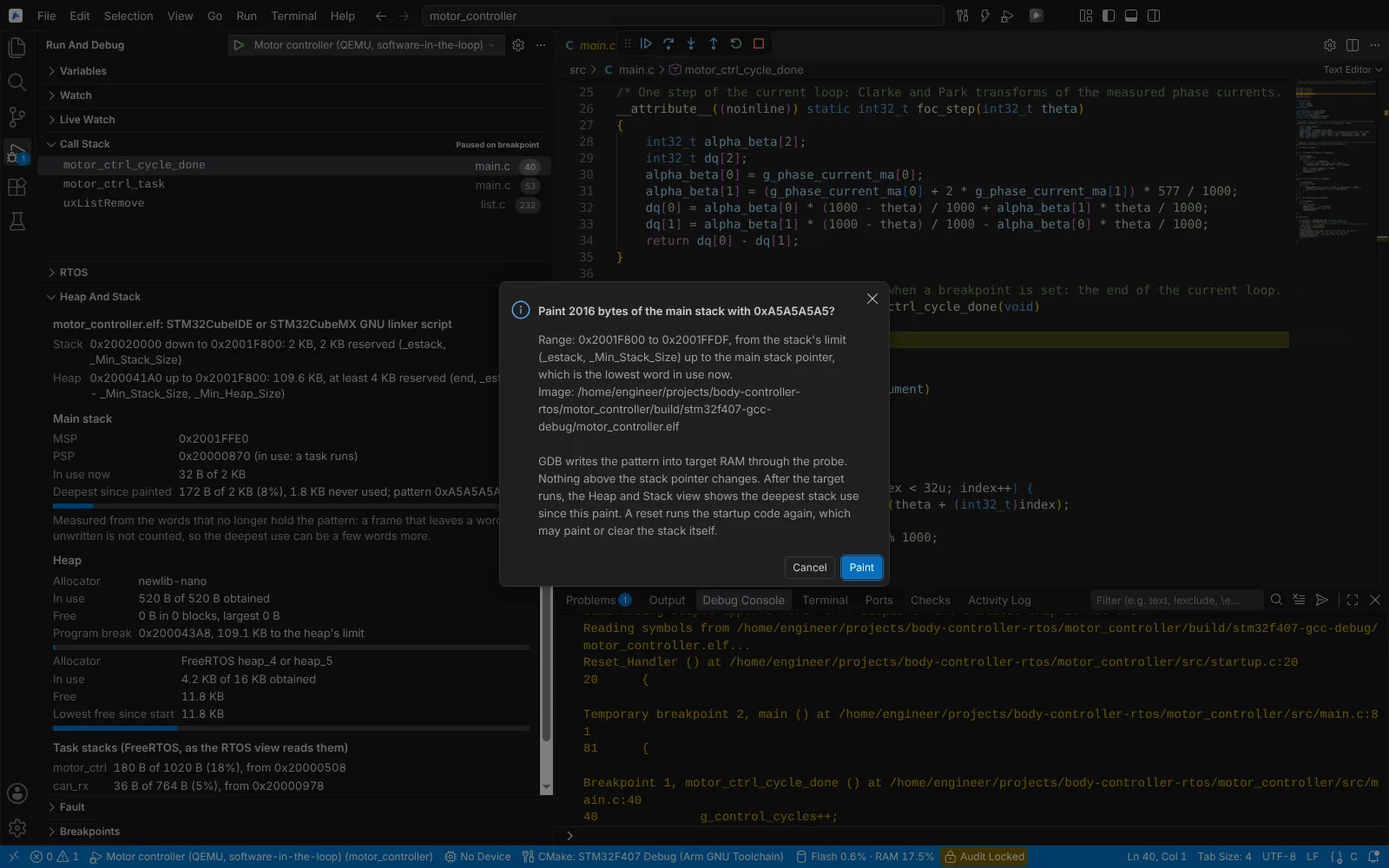 Paint Stack asks first, naming the range below the stack pointer, the pattern and the image.
Values you change yourself in a halted debug session (a register or variable in the Variables view) are written when you enter them, as in any debugger. Start Cycle Stopwatch sets the DWT enable bits when you run it, and neuralInverse.embedded.debug.cycleStopwatch, once you turn it on, does so at the first halt of each session; an agent's call to start the stopwatch asks first.
The probe verification kits follow the same rule: they change a target only by flashing the reference image after you confirm at a prompt, and never write option bytes, protection or security settings.
Downloads
Nothing is downloaded unless you run a command that says so: Update Device Pack Index, Install Device Family Pack..., Select Device... and Download STM32 Pin Data. Each can point at a company mirror or an installed copy instead. See offline use.
What is recorded
| Record | Where | Contents |
|---|---|---|
| Build record | neuralinverse-build-record.json in the preset's build folder, after every successful CMake build | CMake, build tool and compilers with versions, the preset and cache variables, compiler options, the image with its SHA-256, start and end times |
| Flash log | The Embedded log | Every flash, with the image's SHA-256 and whether it is the one the build record names |
| J-Flash production record | The CSV file in neuralInverse.embedded.jflash.productionRecord | One line per unit: time, project and data file with SHA-256, device, serial number, result, log |
| Release comparison | A Markdown report you save | Differences between device memory and the release file, with the file's SHA-256 |
| C-RUN report | A Markdown report you export | The C-SPY run, image SHA-256, C-RUN options and messages |
| Benchmark counters | A CSV file you export | Counts per run, since the zero and per task |
| Serial monitor logs | neuralInverse.embedded.serial.logDirectory, or the window's logs folder | Every session with timestamps, while serial.logToFile is on (the default) |
| MISRA compliance summary | Show MISRA C:2012 Compliance Summary | Tool and version, date, violations per guideline, recorded deviations |
These records are evidence toward the traceability your process requires (for example, which image was flashed to which unit). They are not a certification.
Your organisation's policy
With Neural Inverse Govern, a signed policy decides in-app actions in the Editor:
- Tasks and launch configurations. Builds run as tasks and debug sessions start from launch configurations; each task in a
dependsOnchain is decided before any runs. A policy can allow, deny or require approval. - Settings.
neuralInverse.*settings, which the module writes (device, preset, probe, keymap), go through the same in-app check, and an organisation can govern the whole namespace. - Hardware operations. The policy format has rules for domain-module operations such as flash, erase, fuse write and bitstream (
domainActions: module, operation, targets, effect, approval rule). The Embedded module's flash, erase and programming operations are not submitted to that check, so the confirmations above are the control that stops an unintended write.
An action that needs approval asks you; in a session nobody attends, it is refused. When the policy names an approval rule, you cannot approve it yourself. See Govern.
Agent tools
An agent in the Editor can use these tools. Every tool that changes a project, a setting or the target shows the same kind of confirmation as above, and runs only when you accept it; read-only tools run without one.
| Area | Tools |
|---|---|
| Vendor projects and builds | Read Vendor Project, Edit Vendor Project, Build Vendor Project, Read the Last Build's Licence Failures, Diagnose a Licence Failure in Build Output |
| Tests | List IAR C-SPY Tests, Run IAR C-SPY Tests, Read IAR C-RUN Options, Change IAR C-RUN Options, Read IAR C-RUN Messages, Export IAR C-RUN Report |
| Debug state | Preview the Import of Keil or IAR Debug Settings, Import Keil or IAR Debug Settings, Read the Vendor Keymaps and Debug Layouts, Choose a Vendor Keymap and Debug Layout |
| Target memory | Read Target Memory, Write Target Memory, Fill Target Memory, Save Target Memory to File, Send to RTT Down Channel, Graph Buffer, Capture Buffer and Spectrum |
| Flash and programming | List Flash Sectors, Erase Flash Sectors, List STM32 Bootloader Ports, Identify STM32 Through Bootloader, Program Through STM32 Bootloader, List External Loaders, Read External Loader, Program External Flash, List J-Flash Projects, Read J-Flash Project, Preview J-Flash Production, Run J-Flash Production, Compare Device Memory with Release File |
| Timing and memory use | Start Cycle Stopwatch, Read Cycle Stopwatch, Start Benchmark Counters, Read Benchmark Counters, Reset Benchmark Counters, Read Heap and Stack Layout, Read Heap and Stack, Paint Stack |
| RTOS and TRACE32 | List ORTI Objects, Read OS State, List TRACE32 Breakpoints, Set TRACE32 Breakpoint, Remove TRACE32 Breakpoint |
| Configuration files | List Configuration Files, Read Configuration Wizard, Preview Configuration Wizard Changes, Set Configuration Wizard Values |
State: the tools are covered by unit and Electron tests on Linux; their underlying actions have the states given on their pages.
In the CLI's firmware environment, flashing always needs a person's approval, in every permission mode including full-auto, even when an allow rule matches; non-interactive runs cannot flash. See CLI environments.