Verification state: the TSO/E terminal is tested against the local z/OSMF-shaped server, whose TSO/E service is modelled on the requests the Zowe SDK sends; not yet run against z/OS. Shop actions are modelled. The 3270 session is verified against Hercules 3.13 (a real TN3270 server, not z/OS), not against a z/OS TN3270 server or ISPF, SDSF, CICS, IMS or z/OS Debugger screens, and not on Windows or macOS.
The TSO/E terminal
Open TSO Terminal starts a TSO/E address space and shows it in a terminal named "TSO: <profile>".
- Line editing, history per connection, and answers to TSO/E's prompts (LISTCAT, LISTDS, ALLOCATE, STATUS, EXEC).
- The account number and logon procedure come from Zowe's default tso profile (
defaults.tso), else are asked once per connection. - LOGOFF, closing the terminal, the z/OS side stopping or the window closing stop the address space.
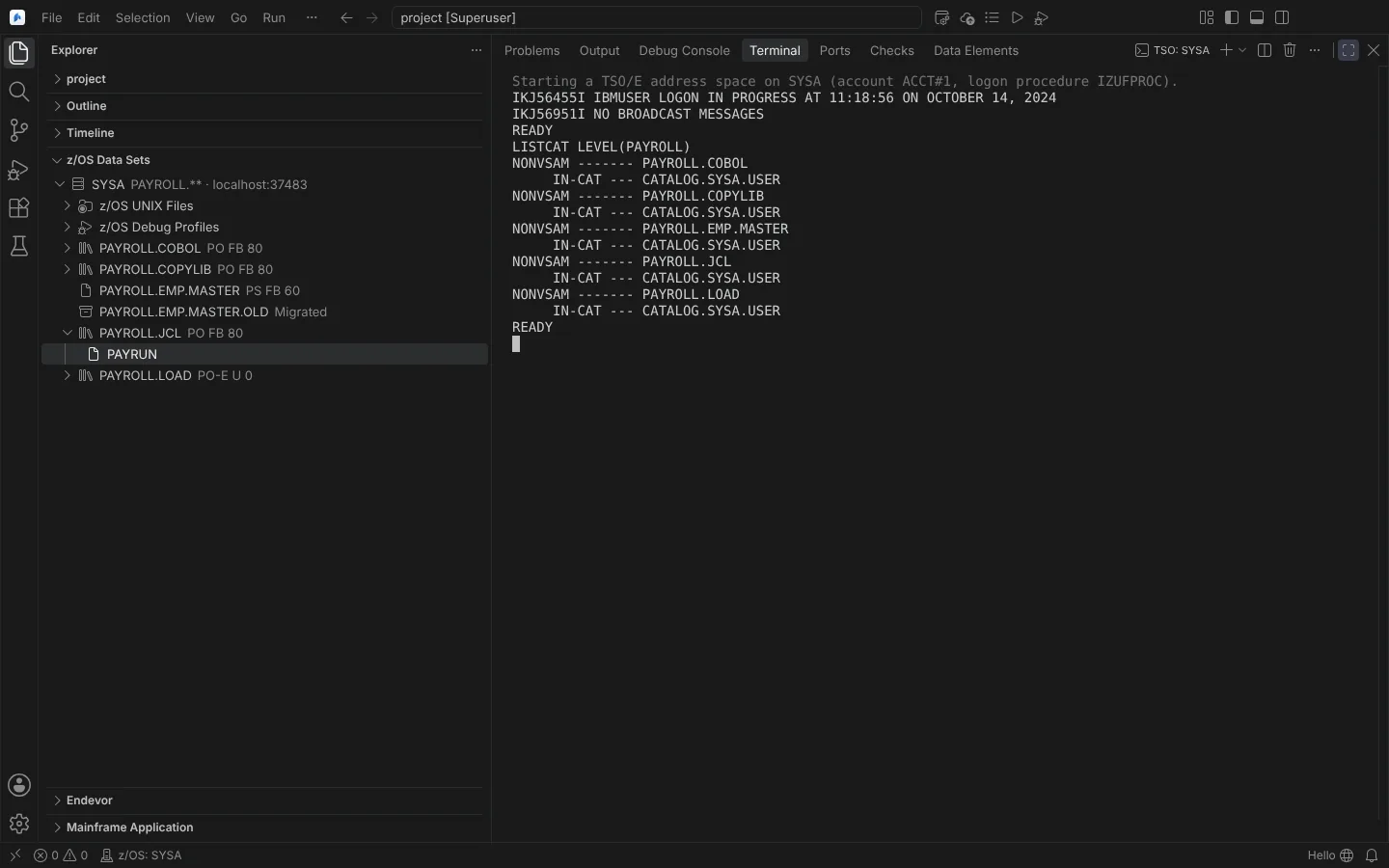 The TSO/E terminal after logon, running LISTCAT on the sample libraries (replies from a modelled server).
How z/OSMF splits a reply over reads, how long it holds a read, and real prompts are not yet observed on a host.
REXX execs on z/OS
- Run REXX Exec on z/OS on a member enters
EXEC 'DSN(MEMBER)' 'parameters'in the connection's TSO/E terminal. - An exec of the workspace runs as a batch TSO/E job, after the submit confirmation; no data set of yours is written.
The shop's own actions
Run Shop Action on a data set, member, z/OS UNIX file or job runs an action your shop defines, as IDz's Menu Manager does. Actions come from menuActions in mainframe.json or the restricted machine setting neuralInverse.mainframe.menuActions. Each is one of:
- a TSO/E command;
- a REXX exec or CLIST member, as
DSN(MEMBER), run with EXEC in the connection's TSO/E terminal; - a JCL template with
${DSN},${MEMBER},${NAME},${HLQ},${USER},${PATH},${JOBNAME}and${JOBID}.
Definitions are checked in Problems. Every run is confirmed naming the system, and JCL that would change a read-only data set is refused before submission.
The 3270 session
Open 3270 Session opens the connection's TN3270 server in an editor, for any 3270 application that has no native view in the Editor: ISPF, SDSF, CICS and IMS transactions, z/OS Debugger's full-screen mode.
- Run Configure 3270 Session to set the host, the port (992 with TLS by default), the LU name, the model and the code page.
- Run Open 3270 Session and log on at the host's own screen. No password is stored.
It supports TN3270E (RFC 2355) and TN3270 (RFC 1576), Models 2 to 5, the module's EBCDIC code pages, the 3270's keys (Enter, PF1 to PF24, PA1 to PA3, Clear, Reset, Attn, SysReq), copy and paste, and a status line. TLS uses the operating system's trust store and neuralInverse.mainframe.certificateAuthorities, a client certificate, and the proxy's CONNECT tunnel. Plain Telnet and unverified certificates are refused unless neuralInverse.mainframe.security.allowInsecureConnections allows them.
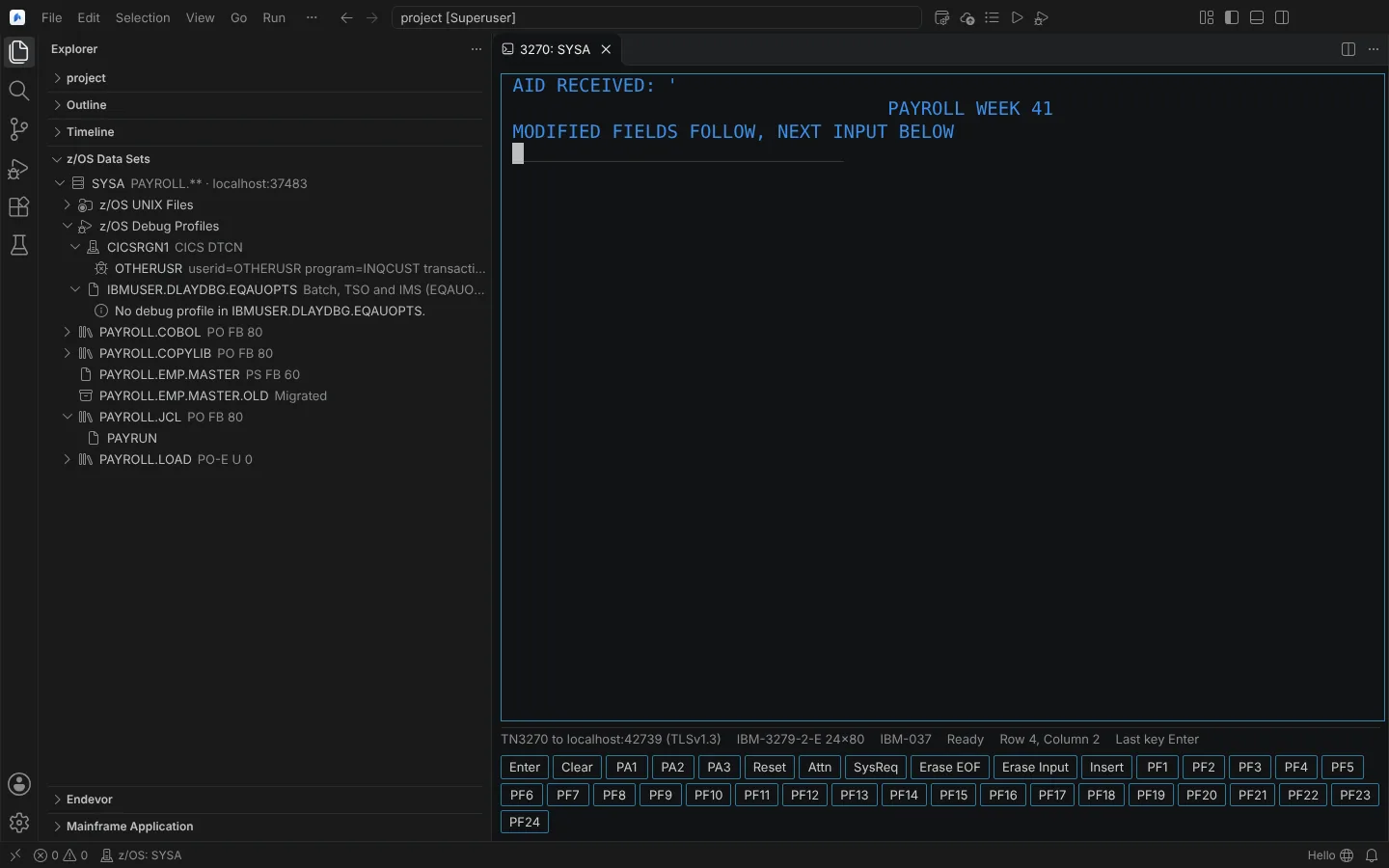 A 3270 session over TLS to Hercules 3.13 running an echo program, with the 3270 keys below the screen.
Verified against Hercules 3.13 on Linux: TN3270 negotiation, its logo screen compared with s3270 4.1's, Enter and PF3 answered by a program on its 3270.