In automotive and aerospace labs the probe is often a Lauterbach PowerDebug, and the lab's knowledge lives in PRACTICE scripts. The module runs TRACE32 PowerView for Arm (t32marm) from your installation as the GDB back end, so the Editor's debug views work on it, and runs your team's scripts as they are.
Verification state: code written, not yet run against TRACE32. Licence and connection failures are matched on texts from Lauterbach's documentation, not on captured output. The trace32 kit has breakpoints and bmc scenarios and waits for its first report.
Debug through TRACE32
Use the snippet Embedded: Flash and Debug Firmware with TRACE32, or set "servertype": "trace32" (or the probe server trace32):
- TRACE32 starts without its window (
SCREEN=OFF), with a configuration file (config.t32) and PRACTICE start-up script generated into the build folder, or with your team's own configuration file and validated start-up script (neuralInverse.embedded.trace32.script, ort32Scriptin the launch configuration, with its arguments). - It connects with
SYStem.CPUandSYStem.Upfor the CPU inneuralInverse.embedded.trace32.cpu(or the configuration'scpu), over the connection intrace32.connection(USB,NETwithtrace32.node, orSIM), and the debug port intrace32.debugPort. - It programs and verifies the image after the usual flash confirmation, with your family's flash declaration script from
trace32.flashScript(t32FlashScript). - The Run and Debug views work as with any GDB server: source, registers, variables, call stack, disassembly, and peripherals from the device's SVD file.
- TRACE32 stops when the session ends.
trace32.gdbServerSetup chooses how TRACE32's GDB server is turned on: script (SETUP.API.GDB.Enable, TRACE32 from 09/2024) or config (the configuration file, for earlier releases). trace32.port is its GDB port (default 30000). Licence and connection failures are explained with what to check.
Other PRACTICE commands can be sent by hand through monitor in the Debug Console.
Attach to a running PowerView
"t32Attach": true uses a TRACE32 that you or a colleague already started and connected, at a host you name; nothing is started or stopped.
Not available through the GDB back end
Semihosting, RTT and SWO output in the Debug Console, Live Watch while the core runs, and TRACE32's own trace views. OS awareness works through ORTI (RTOS and OS awareness); benchmark counters work through BMC (Timing, profiling, heap and stack).
Flash without debugging
Flash Firmware with TRACE32 programs the image without starting a debug session: TRACE32 runs without its window, calls the flash declaration script with PREPAREONLY, then FLASH.ReProgram ALL /Erase, Data.LOAD.Elf, FLASH.ReProgram off, and verifies with Data.LOAD.Elf /DIFF, behind the flash confirmation.
TRACE32 complex breakpoints
Stop when task MotorCtrl writes 0 to the PWM compare register, on an on-chip comparator, without opening PowerView. The TRACE32 Breakpoints view in Run and Debug lists TRACE32 breakpoints with their options and state. They are kept with the workspace, set in TRACE32 when a TRACE32 session starts, and changed live while it runs.
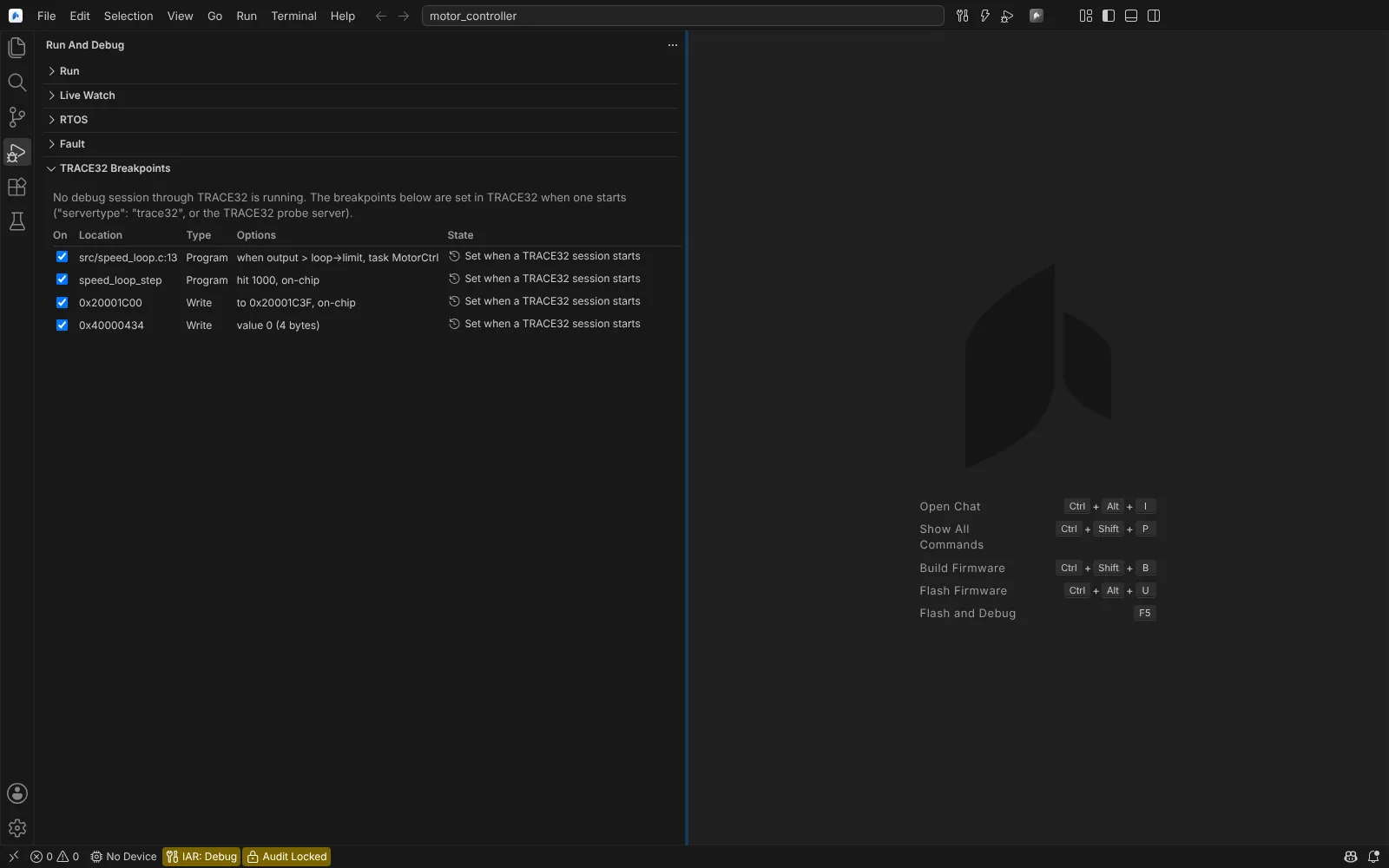 The Run and Debug views with the TRACE32 Breakpoints view listing program and write breakpoints with their options, waiting for a TRACE32 session.
Add TRACE32 Breakpoint opens a form:
| Field | Meaning |
|---|---|
| Location | A line, symbol or address |
| Stop on | Program, read, write or access |
| Range to | Optional end of a program or data range; data breakpoints on a variable can cover all of its bytes |
| Data value, Compared as | Stop only on this value, compared with the variable's size or another width |
| Stop at hit | A pass count TRACE32 counts |
| Condition | A C expression TRACE32 evaluates |
| Task | Stop only while this task runs |
| Implementation | TRACE32 chooses, on-chip, or software |
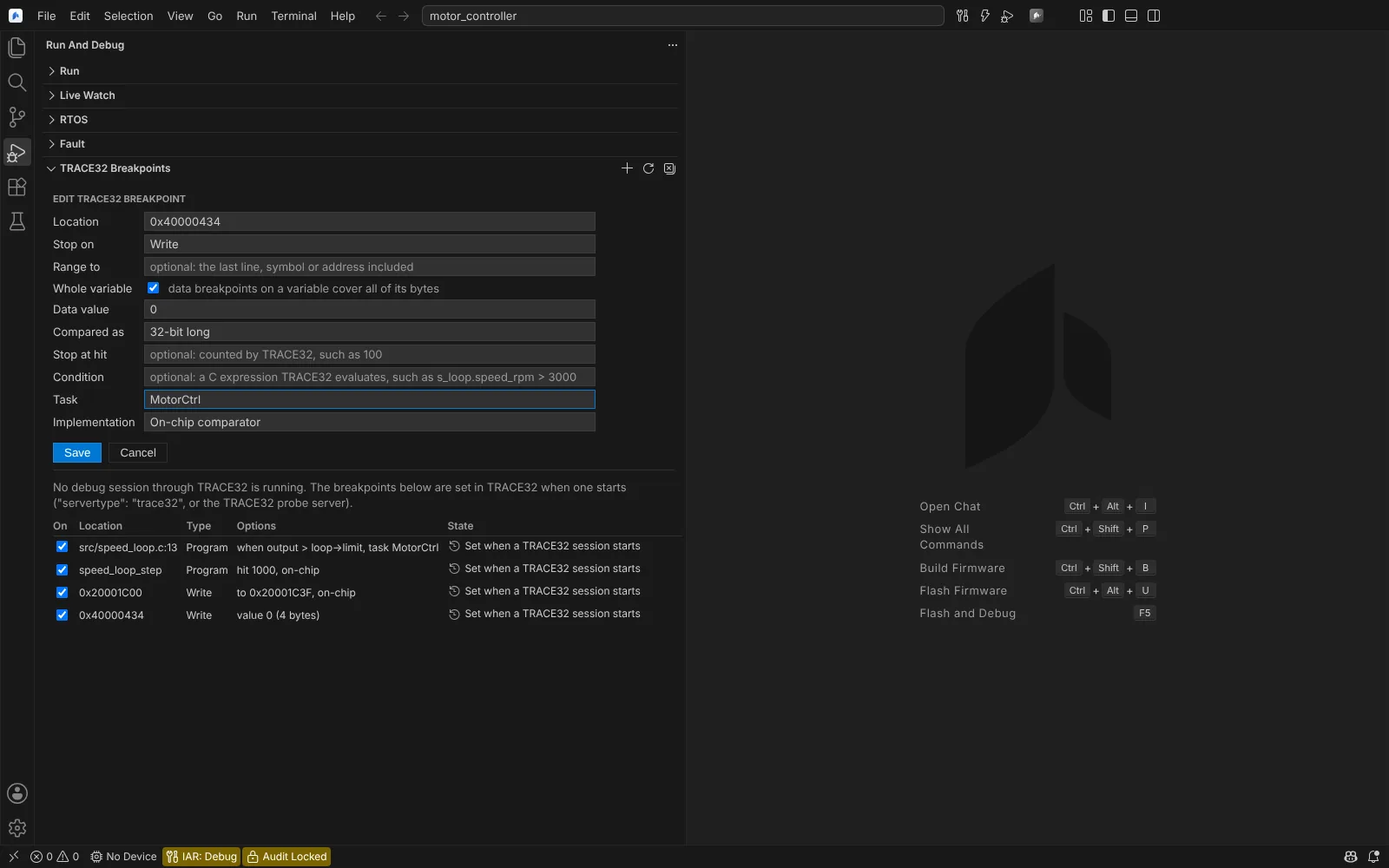 Editing a TRACE32 breakpoint: a write of zero to a register while a given task runs, on the on-chip comparator.
The breakpoints are set with Break.Set and its options through GDB's monitor, and confirmed with Break.Program.EXIST and Break.ReadWrite.EXIST. Check TRACE32 Breakpoints in TRACE32 asks TRACE32 again, while the target is halted, whether each exists. Remove All TRACE32 Breakpoints clears them.
Replace with TRACE32 Breakpoint... on a breakpoint in the Breakpoints view turns a GDB breakpoint into a TRACE32 one; saving removes the GDB breakpoint so the target does not stop twice.
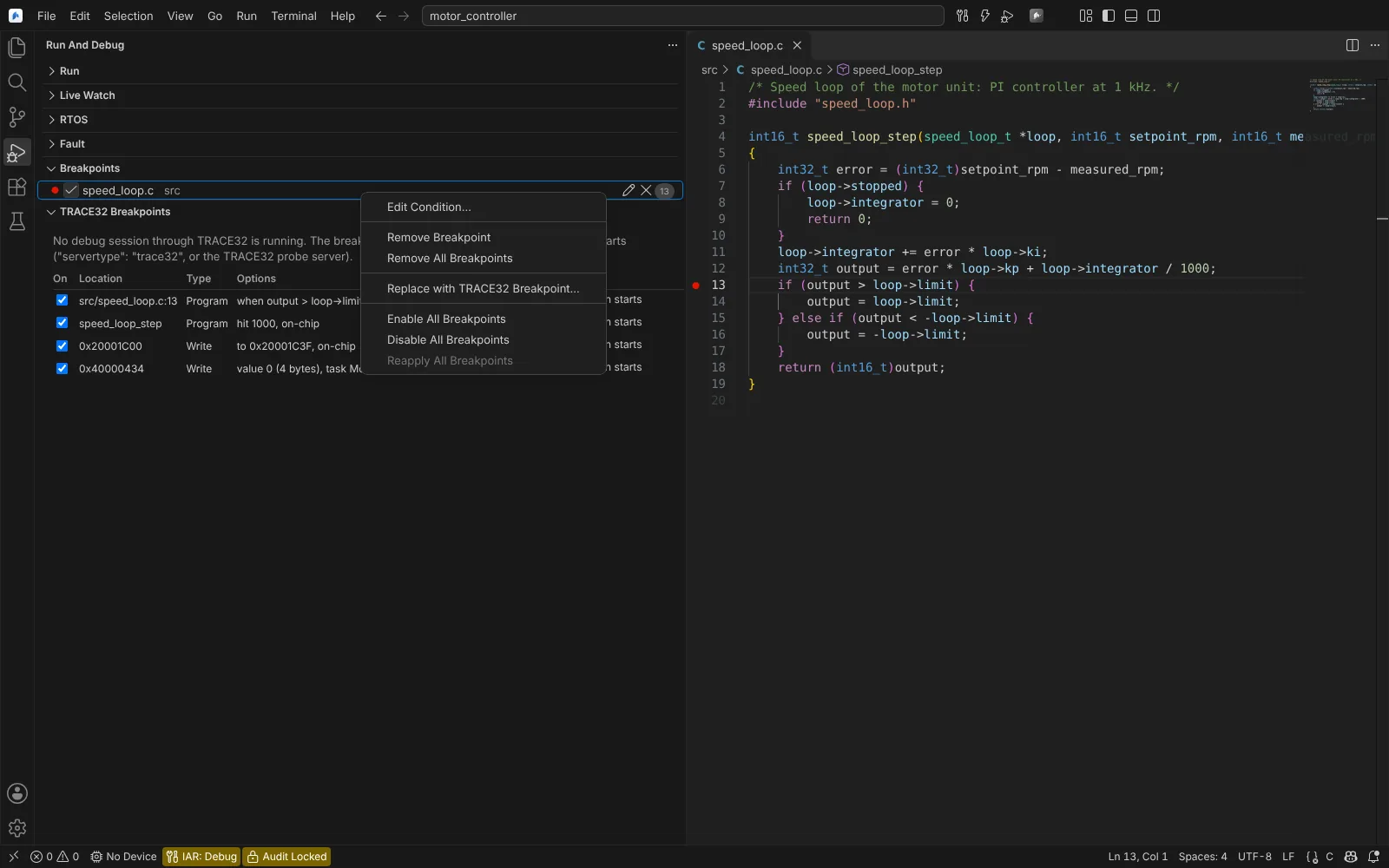 The context menu of a breakpoint in the Breakpoints view with Replace with TRACE32 Breakpoint.
State: generators and session flow tested on Linux against a fake GDB with composed TRACE32 answers; the view, form, replace and reload used in the running app; kit mechanics checked against QEMU's GDB stub. Not yet run against TRACE32. Option spellings were checked only against Lauterbach's public scripts; the stop report from TRACE32 is assumed. Agents can list, set and remove TRACE32 breakpoints.
PRACTICE scripts in the editor
.cmm files open as TRACE32 PRACTICE, in every workspace:
- colouring, bracket matching and indentation of
(and)blocks; - labels and subroutines in the Outline;
- go to definition from
GOSUB,GOTOandJUMPTOto the label, and fromDOto the script it runs, looked up next to the script and in the workspace folders; - hovers for the commands and functions the Editor's TRACE32 code runs, with their sources.
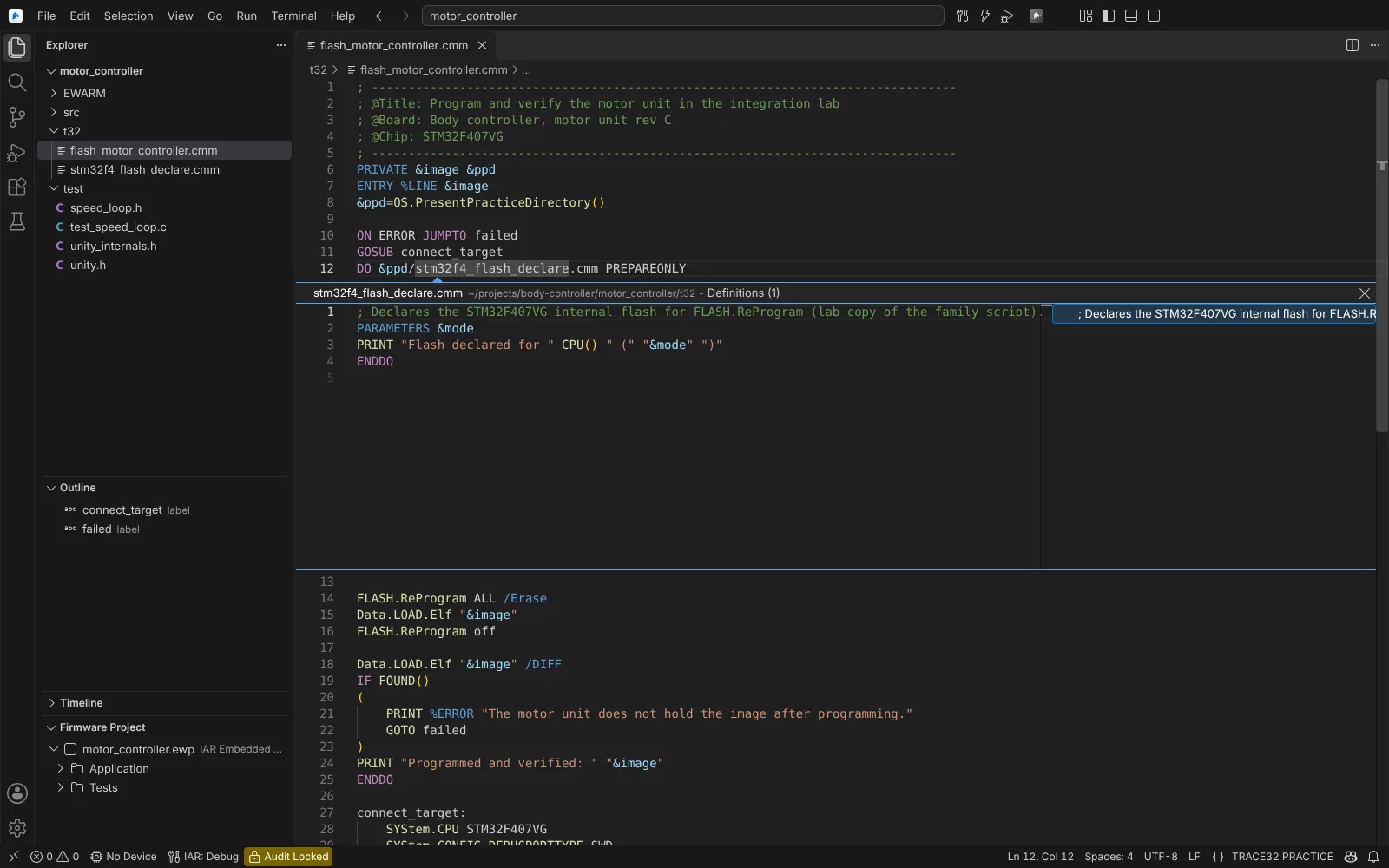 Go to definition from a DO line opening the family flash declaration script in a peek, with the script's labels in the Outline.
State: unit and Electron tests on Linux on Lauterbach's public scripts and on the Editor's generated start-up script. The hover texts are not checked against Lauterbach's manuals, and ~~ (TRACE32 system folder) paths are not resolved.