The Mainframe module brings the loop of ISPF, SDSF and IBM Developer for z/OS (IDz) into the Editor: edit a member, compile it with the shop's procedure, read the listing, submit the batch job, find the failing step in the spool, map the abend to the source line, and look at the data through its copybook.
The engines stay the shop's own, driven through z/OSMF: Enterprise COBOL and the binder through your cataloged procedures, JES for submit, status and spool, the Db2 precompiler or coprocessor with BIND, the CICS translator, IDCAMS, DFSMShsm, SDSF's REXX interface, CICS through CMCI, Endevor Web Services and IBM z/OS Debugger in batch mode. Nothing needs to be installed on z/OS beyond z/OSMF, and nothing but the Editor on the workstation.
GnuCOBOL, GDB and COBOL Check on the workstation are an optional second path, for continuous integration and for engineers without a host seat. Their results are GnuCOBOL's, not Enterprise COBOL's, and every surface that shows them says so.
Verification state: read this first
Nothing in this module has run against a z/OS system yet. Every z/OS capability is tested against a local HTTPS server shaped like z/OSMF (real TLS, behaviour modelled from IBM's documentation and the Zowe SDK), or against fixtures written to IBM's documented formats. A verification kit lets you run the module's exact requests on your own z/OS; no run has come back yet.
| Dimension | Verified | Not yet verified |
|---|---|---|
| z/OS and its products | None. A local z/OSMF-shaped server and documented-format fixtures | Any z/OS, z/OSMF, JES, Enterprise COBOL, Db2, CICS, API Mediation Layer, TSO/E, SDSF, Endevor, DBB or z/OS Debugger level |
| Operating systems | Linux only (Ubuntu 24.04, x86-64), for the tests and the running app | Windows and macOS |
| Workstation tools | GnuCOBOL 3.1.2 (BDB indexed handler), GDB 15.1, COBOL Check 0.2.19 with Java 21 | GnuCOBOL 3.2; other GDB and COBOL Check versions |
| TN3270 | The 3270 emulator against Hercules 3.13 (a real TN3270 server, not z/OS) | A z/OS TN3270 server; ISPF, SDSF, CICS, IMS or z/OS Debugger screens |
| Projects | The payroll sample; AWS CardDemo (44 programs, 62 copybooks, 55 jobs); IBM's dbb-zappbuild MortgageApplication; a generated estate of 37,601 members | A customer's repository |
Language features, the application map, code review, data flow and the Record Viewer are our own code and are verified on Linux on those projects. Do not rely on a z/OS capability for production work until it is verified on your z/OS and z/OSMF levels.
How the module starts
The module has two sides. Both run only in a trusted window (a window without a folder counts as trusted unless security.workspace.trust.emptyWindow is off) and while neuralInverse.mainframe.enabled is not false (it is true by default).
- z/OS side: runs while a z/OS connection exists, either a z/OSMF profile of your Zowe team configuration or a connection added in the Editor, with or without a folder. An engineer whose source lives in PDS libraries, Endevor or ChangeMan can open an empty window and work with data sets, jobs, spool, search, z/OS UNIX files and TSO/E.
- Project side: runs while a workspace folder holds a Mainframe project:
mainframe.json, a ZAPP file, zAppBuild'sapplication-conf/application.properties, or COBOL, copybook, JCL or procedure members, found up to twelve folders deep. - Both: COBOL and JCL language features, column editing, the record editor, the job editor and the walkthrough run while either side runs. Compile on z/OS and Check on z/OS need both.
COBOL and JCL colouring and the mainframe.json schema are always available.
When the project sets host.compile and a connection exists, z/OS leads: the build key (Ctrl+Shift+B) and the first title bar button run Compile on z/OS. Otherwise the GnuCOBOL loop leads.
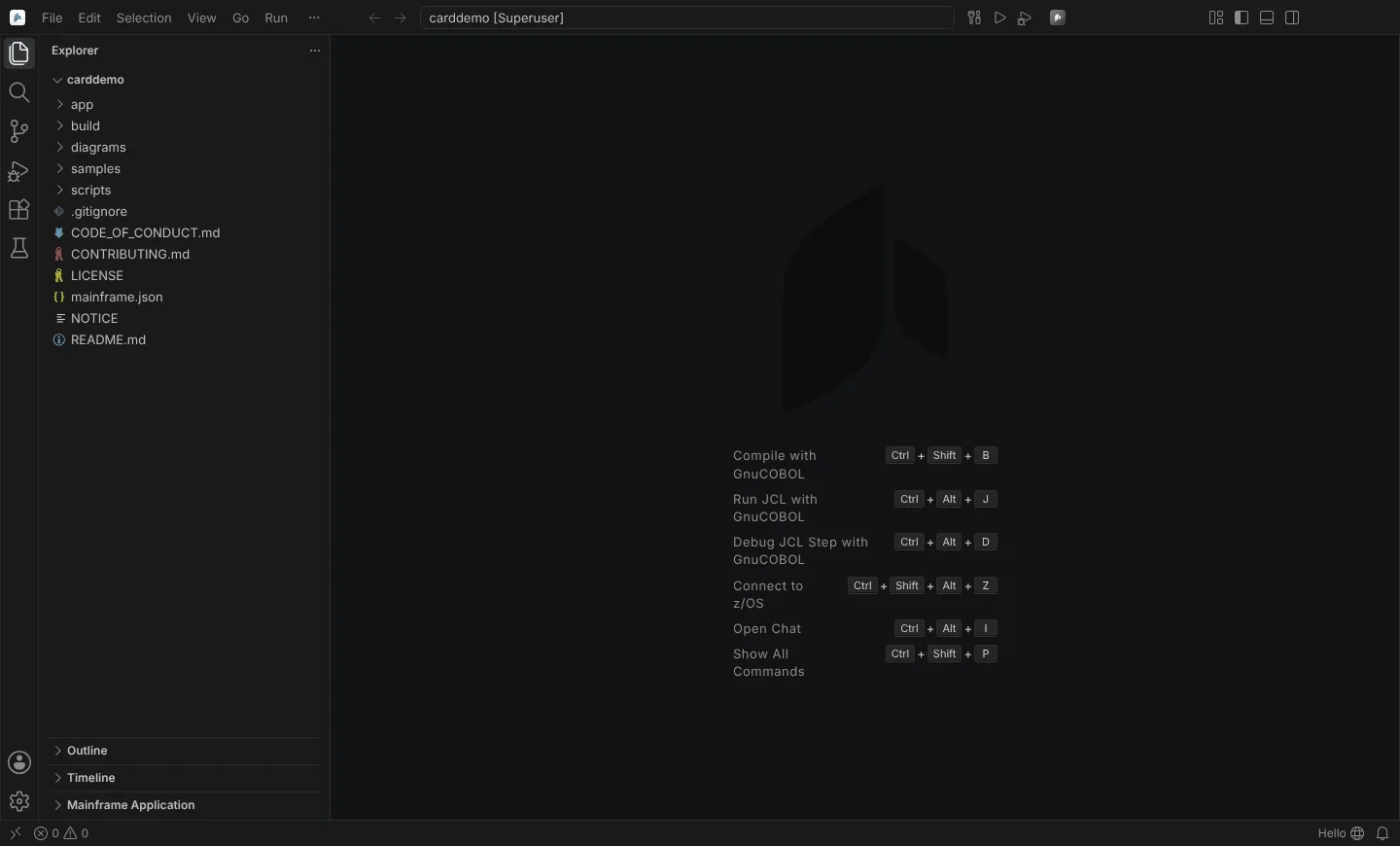 A project opened without a z/OS connection: the empty editor offers the GnuCOBOL actions and Connect to z/OS.
Where things appear
| Surface | What |
|---|---|
| Title bar | Compile on z/OS, Submit JCL to z/OS and Show z/OS Jobs while z/OS leads; then Run JCL with GnuCOBOL and Debug JCL Step with GnuCOBOL |
| Explorer, z/OS Data Sets view | Connections, data sets and members, z/OS UNIX paths, VSAM clusters, CICS regions, debug profiles, host projects |
| Explorer, Mainframe Application view | Jobs, programs, copybooks, data sets and Db2 tables, and how they connect |
| Editors | Members as COBOL or JCL (zosmvs:), spool files read-only, the job editor, the Record Viewer, the 3270 session, SDSF panels, control flow and data flow |
| Problems | Compiler messages from z/OS (IGY, DSNH, DFH, DSNT), live COBOL checks, JCL problems, IDCAMS and utility messages, GnuCOBOL messages |
| Terminal | The TSO/E terminal, "TSO: <profile>" |
| Status bar | The connection the active file uses and its state; workstation tools, only when one is broken |
| Welcome page | "Get Started with z/OS, COBOL and JCL"; each step checks off only on its real outcome |
Commands are in the Command Palette under Neural Inverse Mainframe.
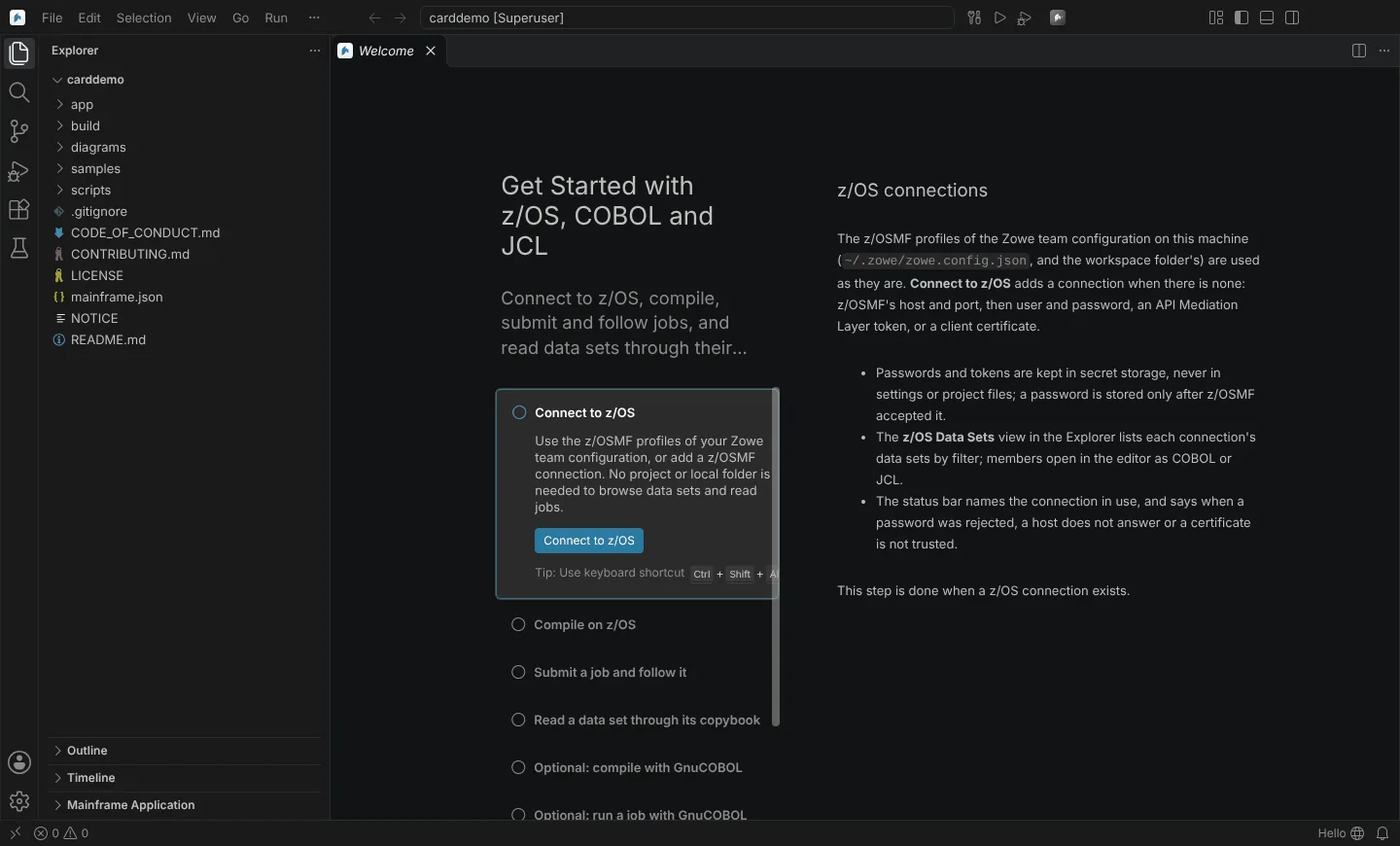 The Get Started with z/OS, COBOL and JCL walkthrough with a project open, z/OS steps first and the GnuCOBOL steps optional.
Pages in this section
Set up
- Requirements and connecting to z/OS: what you need on z/OS and the workstation, Zowe profiles, authentication, proxies and certificates.
- Project files: mainframe.json, ZAPP and zAppBuild: opening the repository as it is, the project keys, the round-trip form, host projects.
Data on z/OS
- Data sets, members and z/OS UNIX files: ISPF 3.4 and 3.2, production data protection, the z/OS Resources table.
- Search and compare: ISPF 3.14 and 3.15 search, Compare With.
- Data set utilities: catalog, compress, migrate, print and ISPF line commands.
- VSAM clusters on z/OS: LISTCAT, records, define, load, copy, verify, delete.
- Data through its copybook: the Record Viewer, encodings, editing, adding and removing records.
- File Manager functions: templates, selection, record compare, reformatting, printing, test data.
Source
- COBOL and copybooks: copybook expansion, navigation, references and rename across the application, snippets.
- Fixed-format editing: columns, sequence numbers, comments, Format Document.
- The ISPF editor and key presets: prefix area, primary commands, HEX, profiles, ISPF and IDz keys.
- JCL and procedures: JCL language features, procedures from PROCLIBs, Generate Run JCL.
- PL/I, HLASM and REXX.
- Checks and code review: problems as you type, unreachable code, the shop's rule set.
Understand the application
- The application map: what runs what, schedules, impact.
- Control flow, data elements and data flow.
Run on z/OS
- Jobs and spool: submit, follow, the job editor, job actions, spool output.
- SDSF panels and console commands.
- TSO/E, the 3270 session and shop actions.
- Compile and check on z/OS: the shop's procedure, Db2 and CICS, abend to source, DBB user build.
- CICS regions and New Copy.
- Endevor.
- Debug on z/OS: z/OS Debugger batch and full-screen modes, debug profiles.
The workstation path
Reference
- Agents: the typed tools and their rules.
- Reference and troubleshooting: settings, keys, confirmations, the action log, run records, the verification kit, common problems.
- What's next: what the module does not do yet.