VCD and FST files open in the Waveform Viewer, built into the Editor. The viewer and our VCD and FST readers are verified on Linux; FST is checked against GTKWave's reference reader.
Open a waveform
- Open a
.vcdor.fstfile from the Explorer, or follow the link from a test result, a formal counterexample, an equivalence counterexample or a hardware debug capture. - The file is read again when a simulation rewrites it. Reload reads it by hand.
- Large dumps are read in chunks, and many changes in one pixel are drawn as one block.
Work with signals
- Scopes and signals: the dump's hierarchy with a filter. Double-click a scope to add its signals, or a signal (or press Enter) to add it. Remove takes signals off the list; drag to reorder.
- Zoom and pan: Fit, + and - (or Ctrl+wheel), drag or Shift+wheel to pan.
- Cursor and marker: each signal's value at the cursor, a marker, and the time between them. Left and Right step the cursor between the selected signal's changes.
- Radix: buses in hex, binary, unsigned or signed decimal, or unsigned or signed fixed point (Qm.n, with the bits below the point you choose). Unknown and floating bits show as such. FST shows VHDL enumeration values by name.
- Analog: any vector or real drawn as an analog chart (steps or lines) scaled to its range in the visible window, in a taller row.
- Groups: gather signals in named groups that open and close. Double-click a group to rename it (Rename Group).
- Source: double-click a signal, or use Source, to open its declaration in the HDL, found through the hierarchy Yosys elaborated and the project's design and testbench sources.
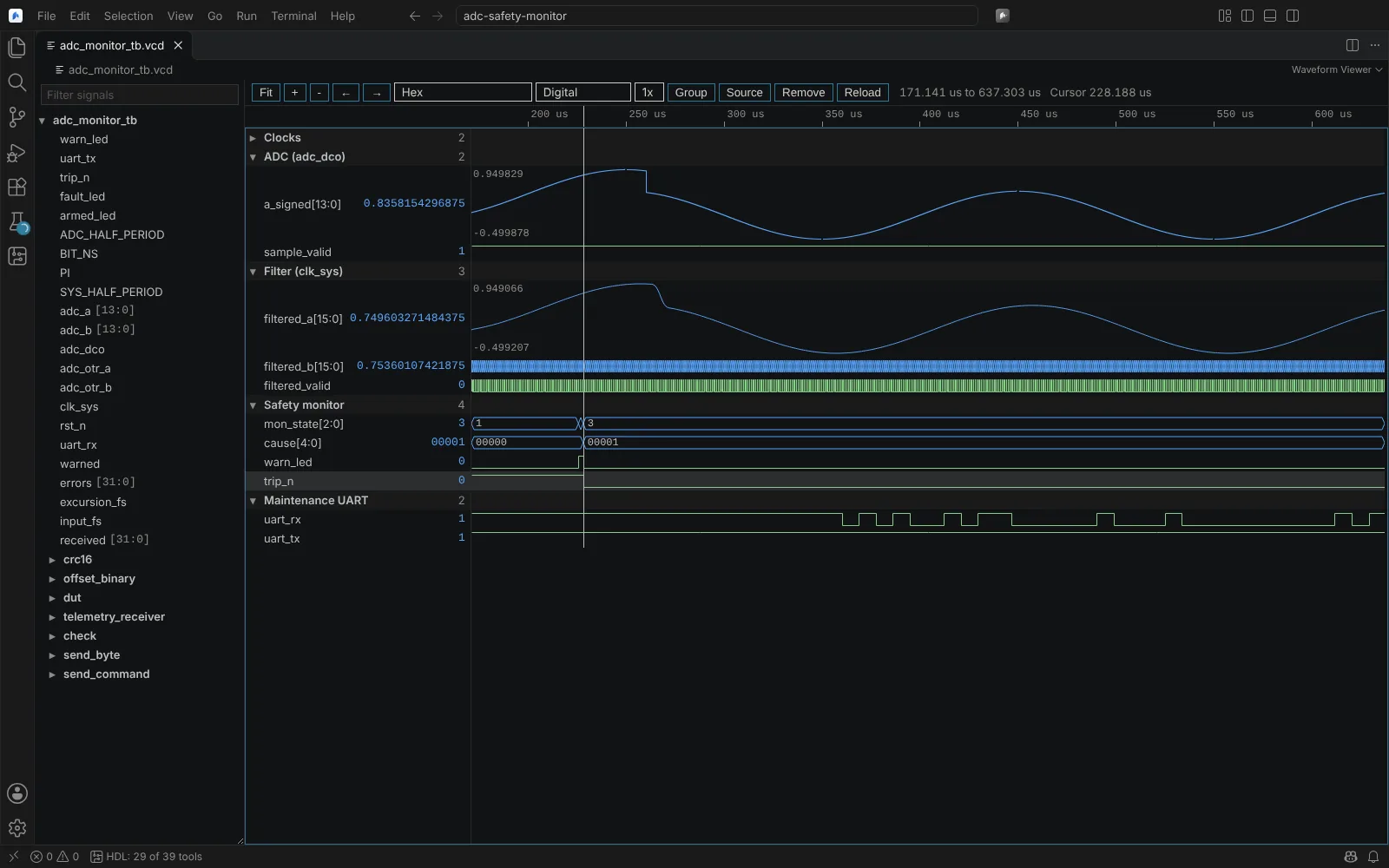 The Waveform Viewer with named signal groups, buses in signed fixed point and analog rows
Saved layouts
The layout (signals, groups, order, radix, fixed-point bits, display, row height, cursor and marker) is kept in <dump>.layout.json next to the waveform, so a dump reopens as you left it.
Vivado wave configurations
For XSim runs, the viewer reads the project's .wcfg into groups, dividers, radixes, analog rows and the cursor, over a VCD the run writes (open_vcd, log_vcd). The .wdb database is proprietary and is not read; the Editor says so. State: kit shipped, not yet run against Vivado.
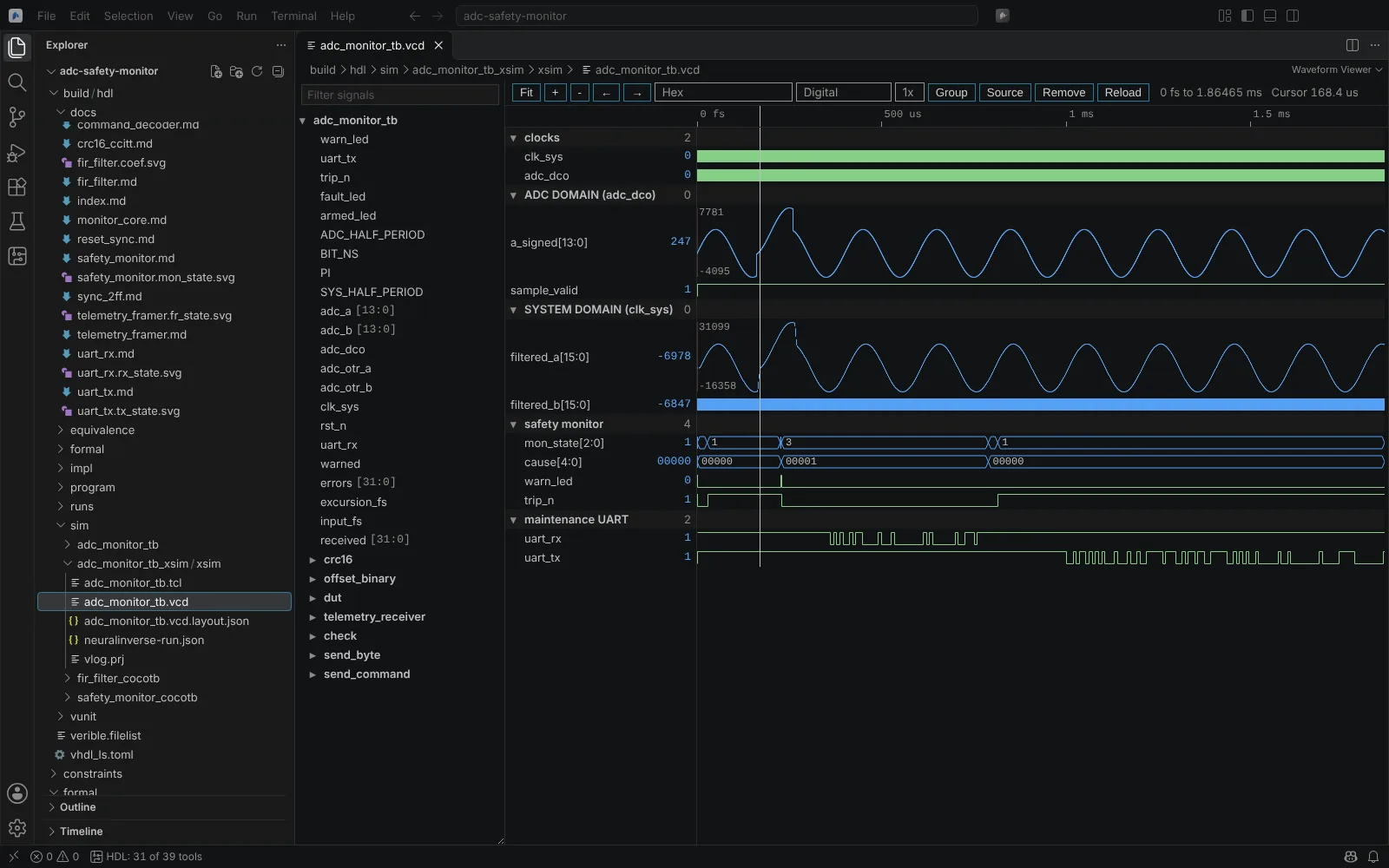 XSim waves laid out from the project's wave configuration: clock-domain groups, dividers and analog rows
Hardware captures
ILA, Signal Tap and Reveal captures, and the built-in logic analyser's samples, open in the same viewer with the trigger marked. See Hardware debug.
Formats
| Format | State |
|---|---|
| VCD | Verified (Linux), our own reader |
FST (zlib, LZ4 and FastLZ compression, gzip-wrapped files, a separate .hier file) | Verified (Linux), our own reader, checked against GTKWave's reference reader |
| GHW | Not read: its only reader is GPL. GHDL testbenches write FST instead |
Vivado .wdb | Not read: proprietary |
Measurements on a waveform of about 1 GB have not been made.