BitBake runs on the build host in the build environment, the same BitBake that Wind River Linux and the vendor BSPs use through their own environment scripts (set buildEnvironmentScript for the build host when builds need one).
State: modelled with BitBake 2.8.1 (poky scarthgap, meta-freescale) over a real sshd with sanity checks on: a task run, a real do_compile failure (GCC 13.3), a QA warning, and cancel with no process left; the output parser on 7 captured runs; the running app. No image has been built. Not run on Windows, against a real remote build server, or on Wind River Linux; do_package_qa output not seen. Buildroot and PetaLinux builds are separate (see AMD PetaLinux).
Pick what to build
- Run Select Build Target..., or right-click an image or recipe in the Build Directory view.
- Pick an image or a recipe, then what to run for it: build it, build it continuing after failures (
bitbake -k), or run one of its tasks (-c compile,-c configure,-c install,-c cleansstateand the others the recipe has).
The choice is remembered per workspace and shown in the status bar.
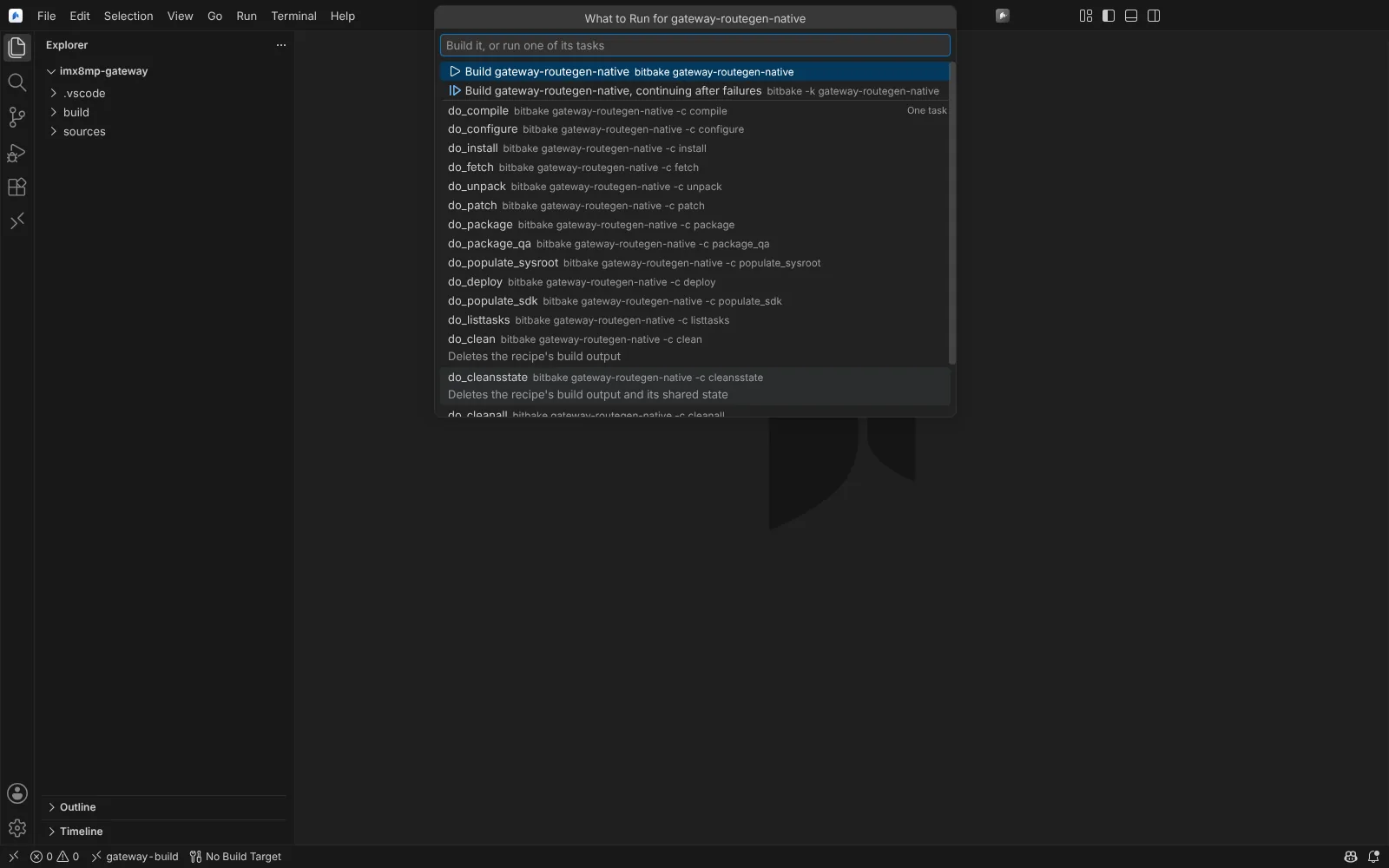 The task picker for a recipe: build it, build with -k, or run one task such as do_compile or do_cleansstate.
Build and cancel
- Build Selected Target (Ctrl+Shift+B) builds it on the build host. BitBake's output streams in a terminal and the status bar shows the task progress.
- Cancel Build, or Ctrl+C in the terminal, stops BitBake and its server on the host, so the next build starts at once.
Failures
- Failing tasks appear in Problems on their recipe, with a link to the task log on the build host.
- Compiler errors from a task log appear on the source in the recipe's work directory, at their line.
- Parse errors appear at their line; QA issues carry their test name.
- Open Failed Task Log... opens the log of a failed task from the build host.
Build records
Each run writes a record to <build directory>/.neuralinverse/builds/: the target, MACHINE, DISTRO, tool versions, host distribution and every layer's revision and branch. Open Build Record... opens one; records are linked from Build history.
Agent tools
The build targets and the last result are read-only tools. Starting a build is a tool that always asks first; it waits for the build and returns its result.
Next: Build history.