State: data sets (DCM, CDF 2.0) are modelled: no DCM or CDF file written by CANape or INCA was available, and neither tool has read the module's files; merged files are read by dcmReader and autors and valid against ASAM's CDF 2.0 DTD. ECU images are read by GNU objcopy. The A2L update is verified against readelf, pyelftools and a2ltool on programs built for the tests and against XCPlite rebuilt with moved variables; it has not been compared with CANape's ASAP2 Updater.
Calibrate an ECU image offline
- Open ECU Image for Calibration... opens an Intel HEX, S-record or binary image with its A2L. The same calibration windows read and write its characteristics without an ECU (values, curves, maps, value blocks, ASCII strings and axis points, OFFLINE_CALIBRATION objects as well), through the A2L's record layouts, alignments, byte order, bit masks and conversion methods.
- Save Calibrated ECU Image As... writes the working copy as Intel HEX, S-records or binary, and reports for every memory segment the checksum
IF_DATA XCPdeclares (XCP_ADD_11 to XCP_ADD_44, XCP_CRC_16, XCP_CRC_16_CITT, XCP_CRC_32) before and after the changes, to compare with the ECU's checksum after flashing. A user-defined checksum is reported as not computed, and checksums kept in flash that the A2L does not describe as not updated. - Close ECU Image closes it.
Program the saved image over UDS: see Reprogramming and end of line.
Data sets
.dcm files open in the DCM language, with what the reader cannot read reported in Problems at its line as you type.
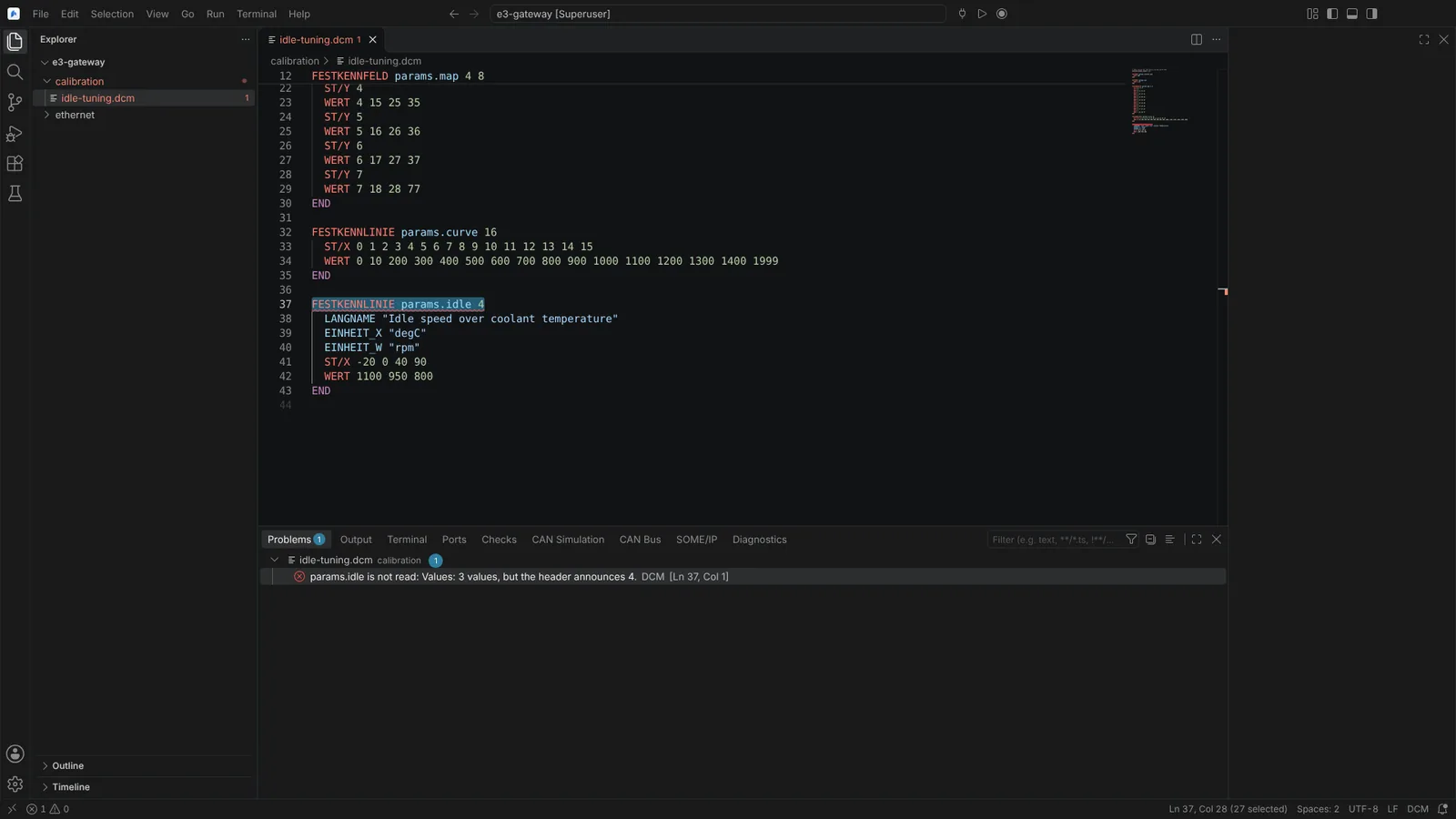 A DCM data set with a curve whose header announces more values than it holds, reported at its line in Problems.
- Save Calibration Data Set As... writes a DCM 2.x or ASAM CDF 2.0 (
.cdfx) data set from an ECU or an image. - Apply Calibration Data Set... and Compare Calibration Data Set with ECU or Image... open a review of every value that would change (position, current value, the data set's value, the value the target will hold after conversion, unit) and every entry that cannot be applied with its reason (outside the limits, not in the A2L, another kind or number of values, an axis that differs, read only). Nothing is clamped. Apply writes to the ECU over XCP after confirmation, reading each value back, or into the image.
- Compare Calibration of ECU and Images... lists the values that differ between an ECU and an image, or two images.
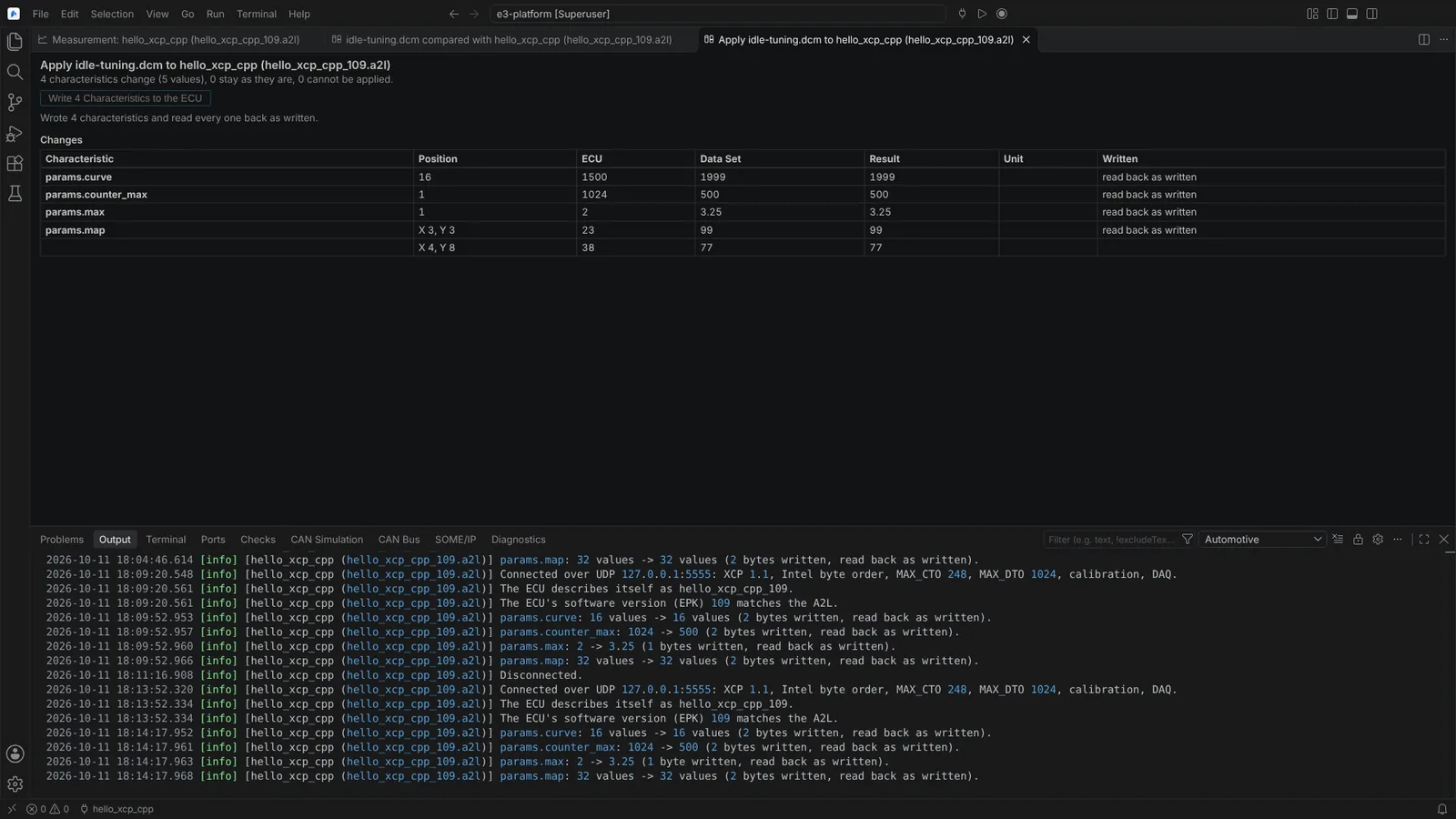 A data set applied to an ECU over XCP, listing each characteristic that changes and showing every value read back as written.
Merge data sets
Merge Calibration Data Sets... (Command Palette, or the Explorer's context menu on selected .dcm and .cdfx files) takes two or more sources in order of priority: DCM and CDF files, and the values of open images or connected ECUs (read, never written).
- The merge lists the sources with the entries each holds and gives, every characteristic in conflict with each source's value side by side at every position that differs, those only one source holds, those all agree on, and what could not be read.
- For each characteristic choose the source that wins, or leave it out. By default the first source holding it wins; Prefer ... in Conflicts sets one source for every conflict.
- Save Merged Data Set As... writes a new DCM or CDF file, never over a source, with the sources in its header and each entry's source in its comments. The file is read back before it is written.
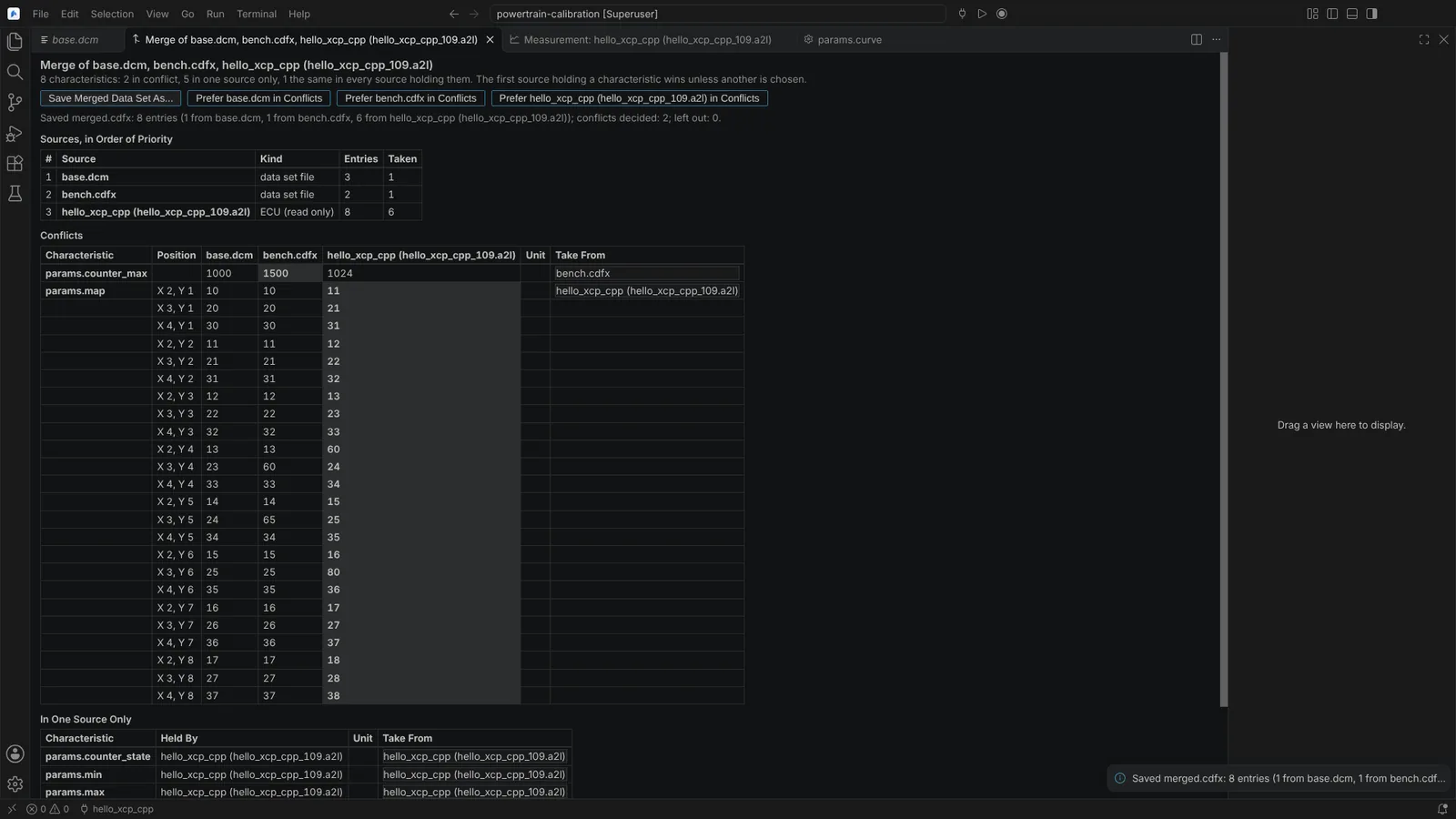 Three sources merged: conflicts side by side, the source chosen per characteristic, and what each source gave.
Update the A2L from the ECU build
When the ECU software is rebuilt, run Update A2L Addresses from ELF or MAP File... (Command Palette, the A2L editor's or the Explorer's context menu) and pick the build's file:
- an ELF file: its DWARF debug information (versions 2 to 5, either byte order, compressed sections) or its symbol table alone;
- a GNU ld or LLVM lld map file.
Every MEASUREMENT, CHARACTERISTIC, AXIS_PTS, BLOB and INSTANCE is found by its SYMBOL_LINK or by its name as calibration tools write it (variable.member[2], with a function, namespace, class or source file ahead of it where that makes it unique). Where the debug information gives the type, the update also changes data types, dimensions, axis point counts, a BLOB's size and a bit field's address and mask, and it checks record layouts and structures, reporting what differs instead of rewriting shared ones.
- Choose which address extensions take addresses from the build.
- The review lists every change (object, address and type before and after, the variable and where it was found) with a box to leave it out, and every object it does not change with why: symbol missing, ambiguous (with each candidate), no fixed address, or a type change the file cannot follow. Nothing is guessed.
- Apply edits only the numbers and data types concerned, in the notation the file uses, in the A2L and included files, as one undoable edit left unsaved. It is refused if the file changed since the review.
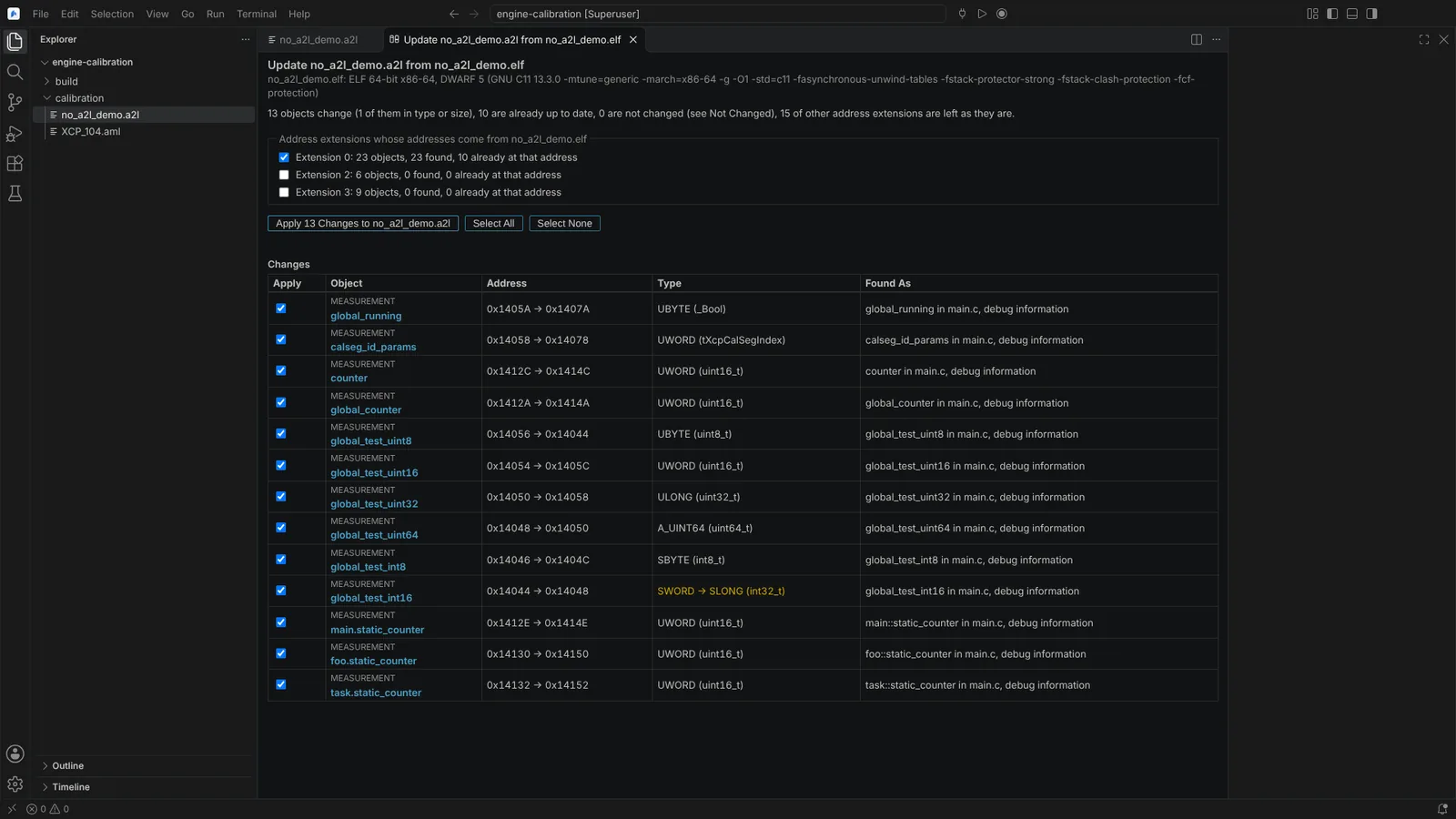 The review of an A2L update from an ELF file, listing each object with its address and type before and after, and where it was found.
Agents use planA2lUpdate (read only) and applyA2lUpdate (the chat's confirmation lists each change).
Not verified: ELF and map files of production toolchains (TASKING, Green Hills, Wind River Diab, HighTec, IAR); only XCP_CRC_16_CITT was checked against an ECU's build checksum; data sets written by CANape or INCA.