There are two ways to work with a project your team keeps in a vendor tool:
- Import it into
hdl.json, which then drives every build from the Editor. - Edit it in place: the Editor reads and writes the vendor's own project file, so teammates still in Vivado, Quartus, Libero or Radiant see your changes.
Our readers and writers of the vendor files are verified on Linux on real public project files. Whether the vendor tool accepts what we write is kit shipped: not yet run against Vivado, Quartus, Libero or Radiant. Nothing is verified on Windows.
Import a vendor project
Run Import Vivado, Quartus, Libero, Gowin or Lattice Project and choose the project file. What is not carried over is listed at the top of hdl.json.
| Project | What is carried into hdl.json | State |
|---|---|---|
Vivado (.xpr) | Design, constraint, simulation and out-of-context file sets; each file's type, library, use, processing order and scope (read_xdc -ref/-cells); IP (.xci, .xcix) and block designs with their wrappers; top, generics, defines, include folders, IP repositories, board part and strategy names, into targets[].vivado | Reader verified (Linux) on eight real .xpr files from Vivado 2015.2 to 2025.2; build kit shipped |
Quartus (.qpf or .qsf) | Every revision as a target (the last listed is taken as current, since the .qpf does not record it); the Tcl files the .qsf sources; sources with their libraries and HDL versions, top, family and device, SDC files, IP variations and Platform Designer systems (.ip, .qip, .qsys, with Nios V or HPS), parameters, global assignments (including Standard Edition partitions) and the edition, into targets[].quartus. Instance assignments stay in the revision's .qsf | Reader verified (Linux) on real Standard and Pro projects; build kit shipped |
Libero SoC (.prjx) | The HDL files (generated ones too), the constraint files and the tools that use each | Reader verified (Linux) on a real .prjx; kit shipped |
Gowin EDA (.gprj) | Sources and the target | Modelled |
Lattice Diamond (.ldf) and Radiant (.rdf) | Sources and a Lattice target | Modelled (reader unit-tested on real .rdf files) |
Builds of imported Vivado and Quartus projects copy each IP, block design and Platform Designer system into the build folder and generate it there, so your project folders are never written. IP made with an earlier Vivado stops the build, naming the release that made it, unless the target's vivado.upgradeIp is set, which upgrades only the build's copy. For Quartus, quartus.upgradeIp upgrades the build's copy with quartus_sh --ip_upgrade. A Pro project built with Standard (or the reverse) stops with a message.
Edit the project in place
The HDL side bar has three views over the Vivado, Quartus, Libero and Radiant projects in the workspace:
- Project Sources: a Vivado project's file sets, or a Quartus revision's files, each with its type, library and use.
- Libraries: the HDL files by the library they compile into.
- Compile Order: the order each tool compiles in. For a Quartus revision, the order of the settings file. For Vivado in automatic mode, the order is asked of Vivado, never guessed: run Get Compile Order from Vivado. Set Vivado Compile Order Mode... switches between automatic and manual.
From a file's context menu you set type, library, use and processing order, move a file up or down, or remove it. Add Files to Vivado or Quartus Project... adds files to a file set. Every edit is written into the .xpr or .qsf in the vendor's own formatting, changing only the affected lines.
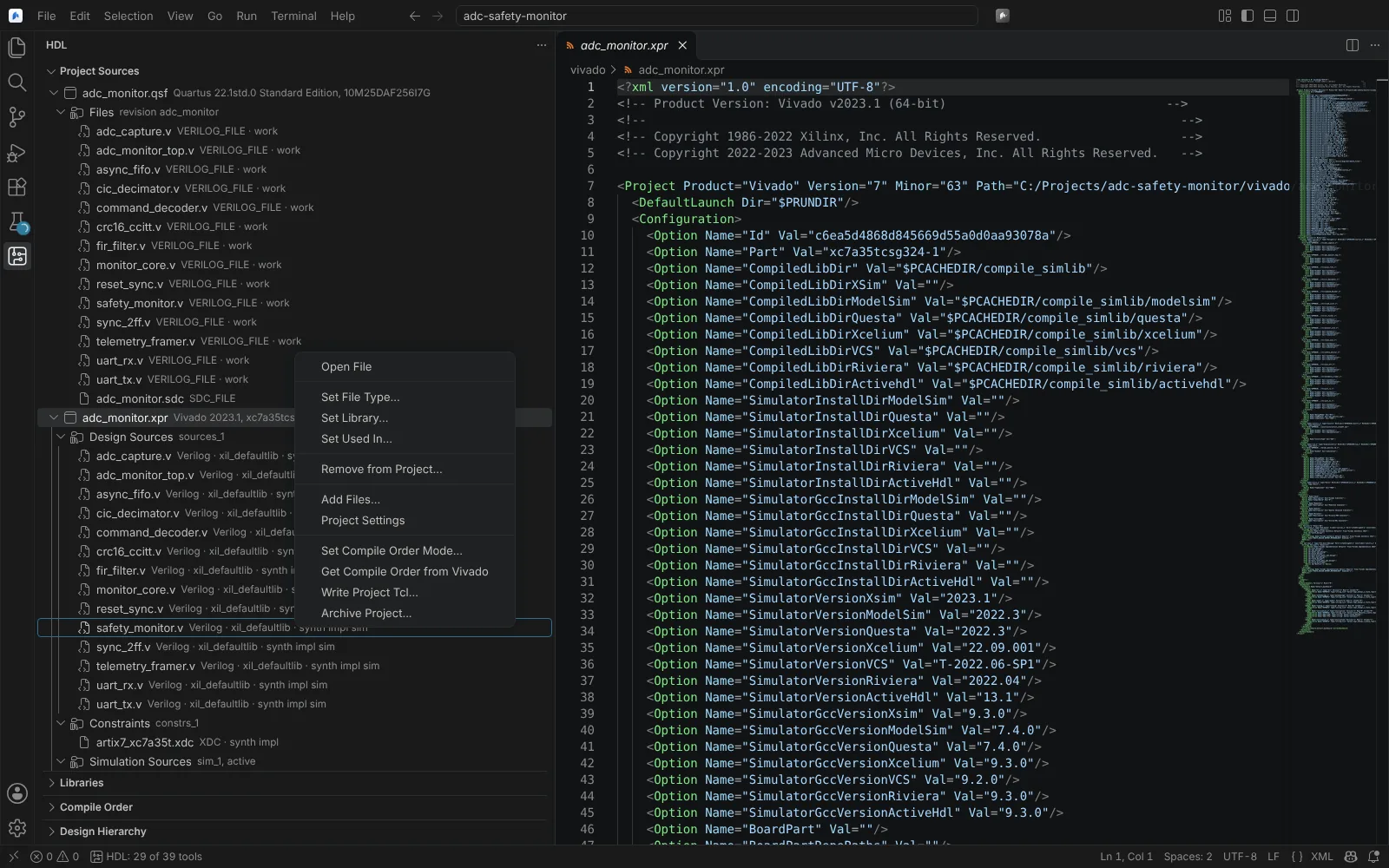 Project Sources listing a Quartus revision's and a Vivado project's files, with a file's context menu open
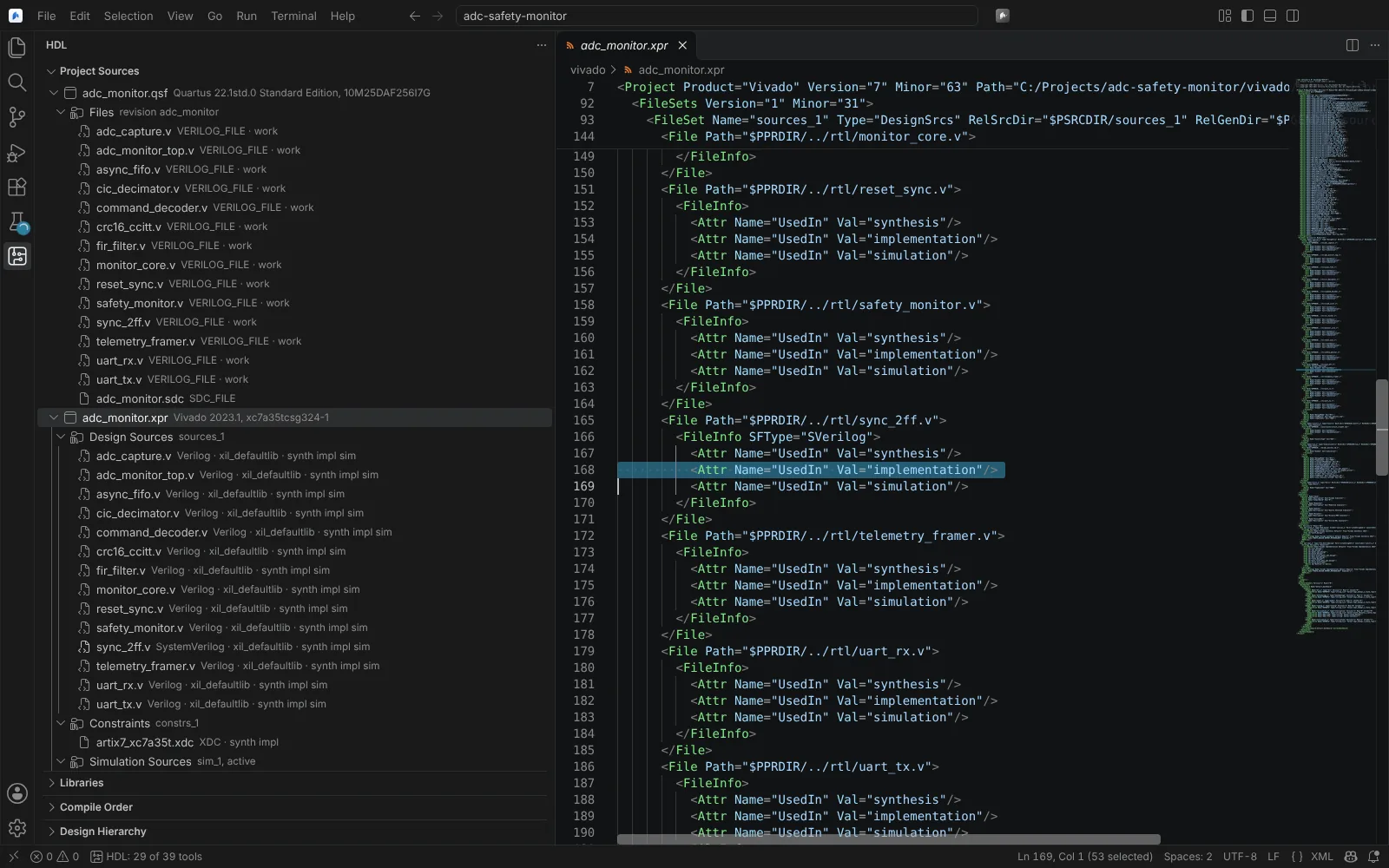 Setting one file to SystemVerilog writes a single attribute into the Vivado project file
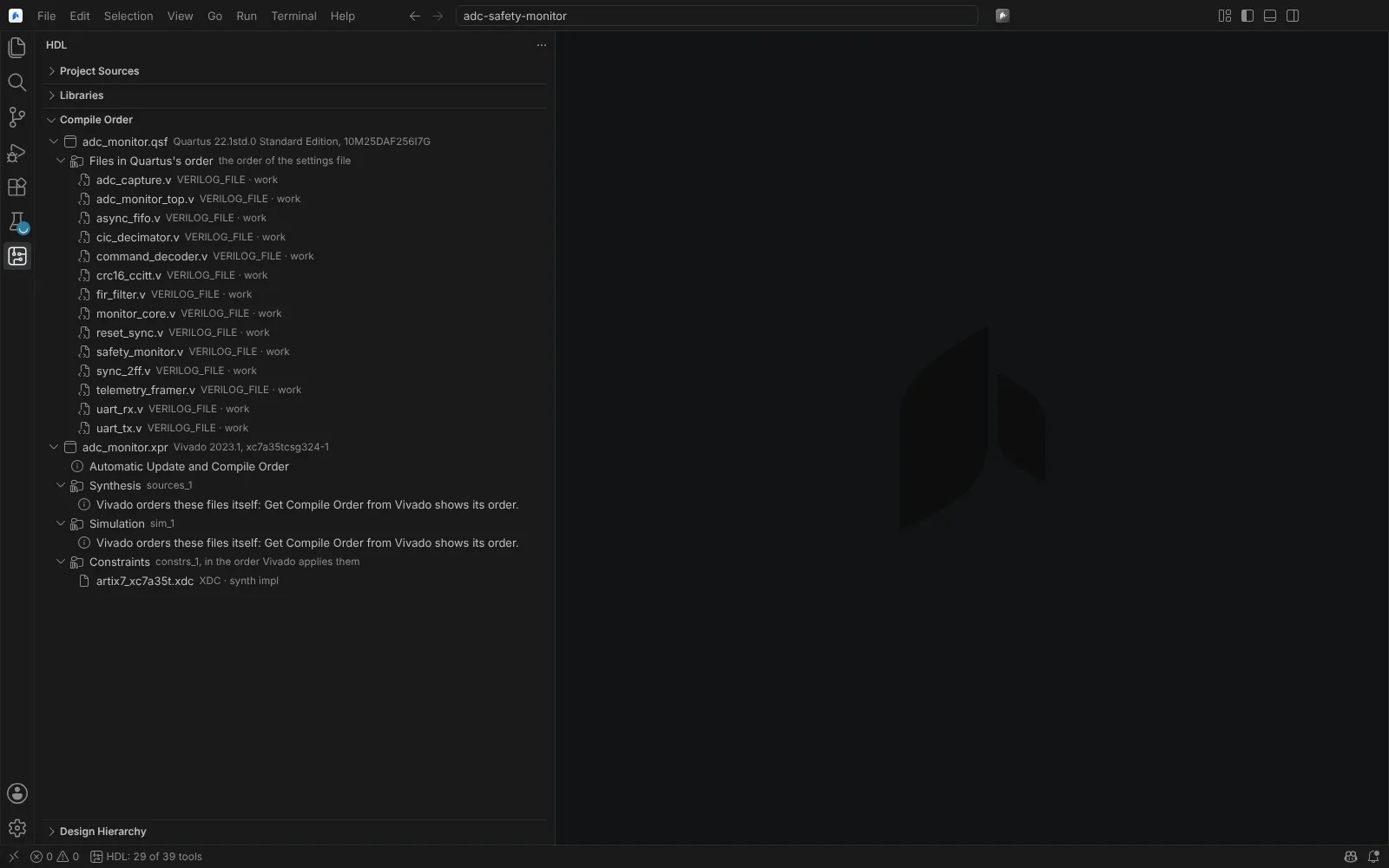 Compile Order with a Quartus revision's files in its settings file's order, and a Vivado project in automatic mode
State: saving unchanged gives identical bytes, and each edit gives the minimal diff, on 8 real .xpr files (Vivado 2015.2 to 2025.2) and 6 real .qsf files, line endings included: verified on Linux. Vivado and Quartus opening or building the edited files: kit shipped.
Project settings
Open Vivado or Quartus Project Settings opens a settings page per project:
- Vivado: the part, target language, default library and board part; Simulation settings (target simulator, simulation set, top module and library, run time,
xvlog,xvhdl,xelabandxsimoptions, debug level, log all signals); Elaboration settings (top, generics, defines and include folders). Values marked "project file" are written into the.xprat once. Values marked "Vivado" are held until Apply with Vivado, which has Vivado set them in batch on the project, so the file is written in Vivado's own form. - Quartus: the revision's global assignments, written to the
.qsf.
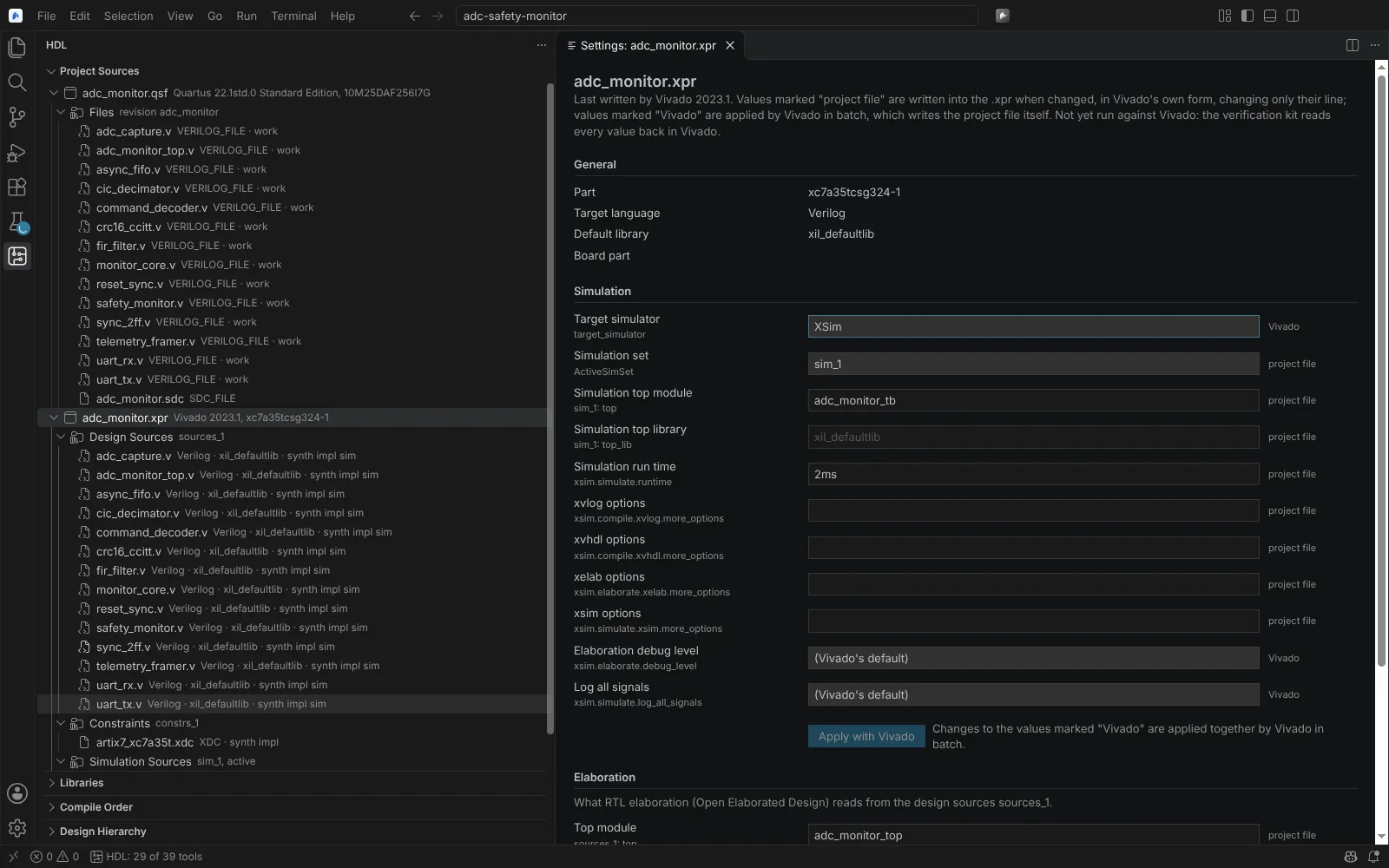 Vivado Simulation settings: values written into the project file, and values Vivado applies in batch
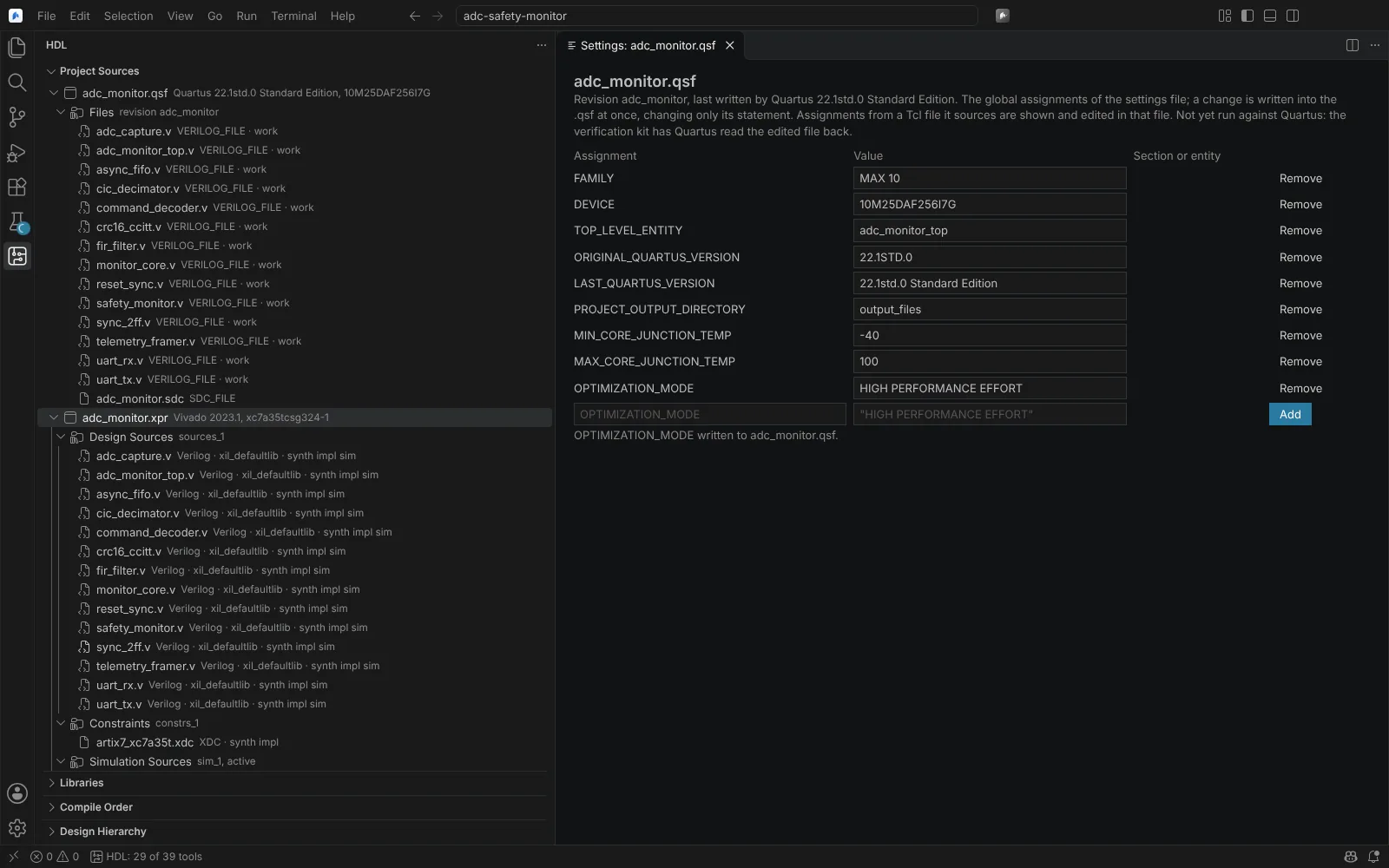 The global assignments of a Quartus revision, one just written to its settings file
State: kit shipped. Some fields of Vivado's Elaboration page are not yet identified; the kit records every property.
Vivado actions run in batch
These run Vivado in batch with the project opened read-only, so nothing is guessed about Vivado's own file format. State: kit shipped.
| Command | What it does |
|---|---|
| Set Vivado Project Properties with Vivado | Applies properties whose stored form has not been seen in a real project file |
| Write Vivado Project Tcl... | Has Vivado write the project as a Tcl script, for version control |
| Archive Vivado Project... | Has Vivado archive the project, for a programme's records |
| Get Compile Order from Vivado | Shows Vivado's compile order in automatic mode |
Refresh Vivado and Quartus Projects reads the project files again. A project file written into a folder made a moment before (a checkout, a tool) is found without it on Linux; on macOS and Windows the file watcher has not been checked.
Quartus Assignment Editor and Design Partitions
Quartus: Open Assignment Editor shows the .qsf's instance assignments as a table by category (pins, I/O, partitions, power, Design Assistant, other). Edit values, comments and the enabled state, add or remove rows; each change is written in place with a minimal diff (CRLF and a missing final newline kept). Assignments made in a Tcl file the .qsf sources are shown and edited in that file.
Quartus: Open Design Partitions lists the Standard (PARTITION_HIERARCHY, netlist type, preservation) or Pro (PARTITION, .qdb, colour) partitions beside the ones in hdl.json, with conflicts. Partitions and their reuse in builds are on Build with Vivado, Quartus, Libero and Radiant.
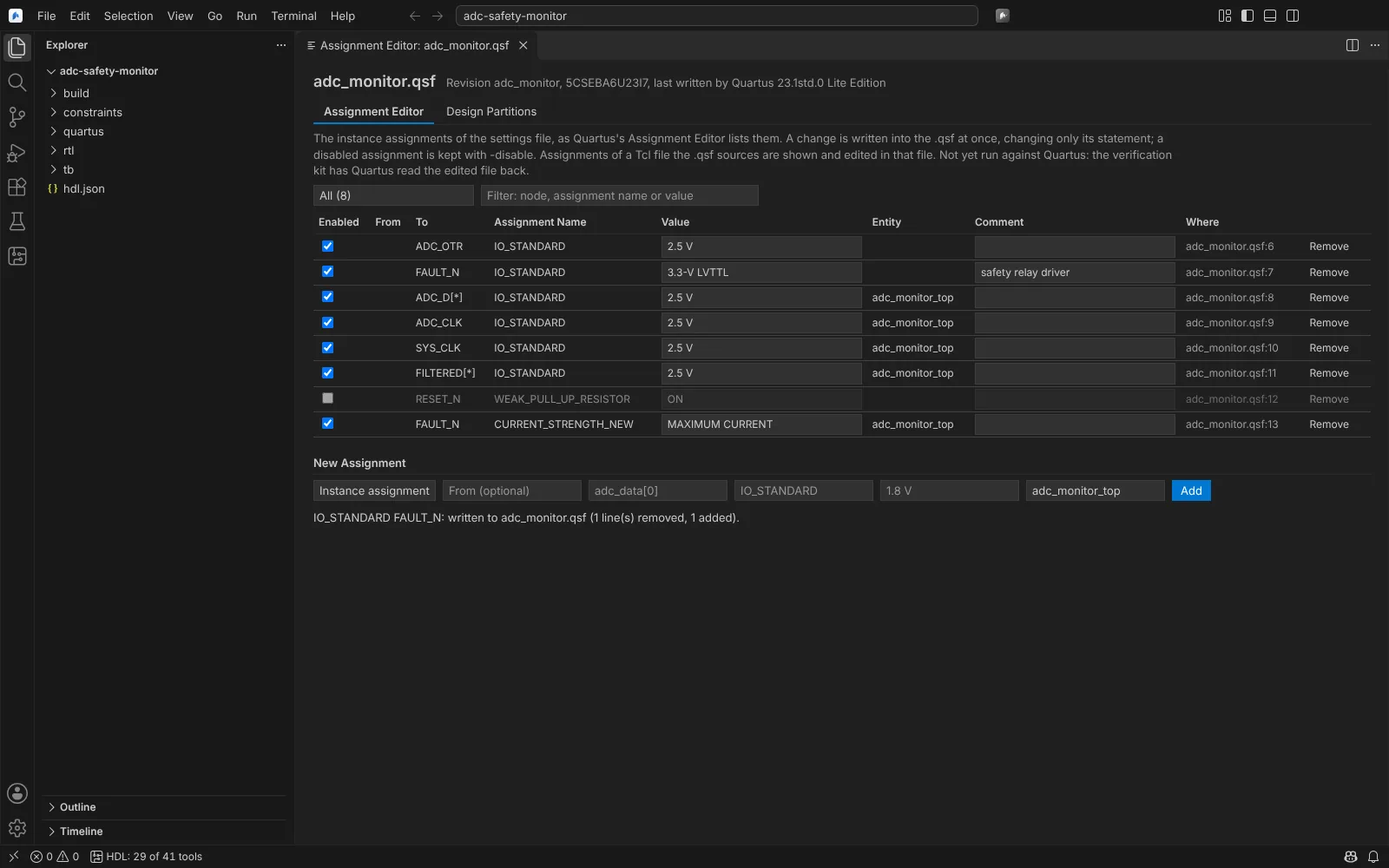 The Assignment Editor over a Quartus settings file, an I/O standard just written
State: the .qsf and partition writers verified on Linux; Quartus reading them kit shipped.
Libero and Radiant projects
- Libero
.prjx: existing projects open and are edited in place, unchanged files written back byte for byte. The part, root and links are changed by Libero in batch after you confirm. Round trip verified on Linux on a real.prjx; Libero runs kit shipped. - Radiant
.rdfand.sty: the project and strategy files appear in the same views and settings page and are written in place; edits Radiant makes itself go through its Tcl shell (prj_*). Modelled on real.rdfand.styfiles from two public projects; not yet run against Radiant.
Every write to a project file asks you to confirm when it comes from an agent tool.